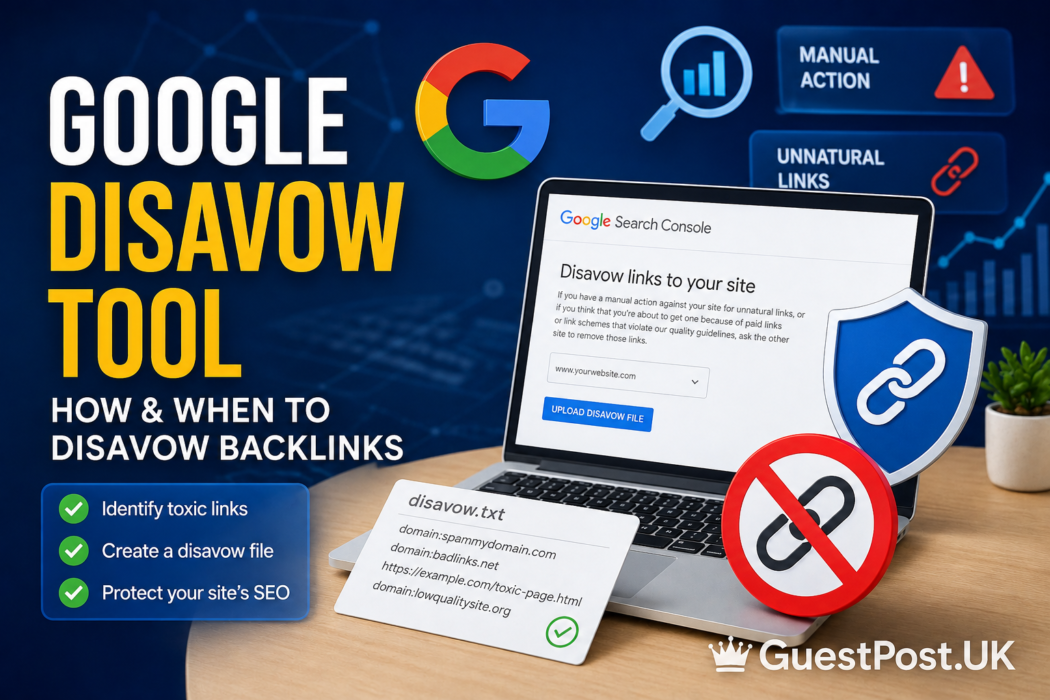
The Google Disavow Tool is one of the most misunderstood features in technical SEO. It allows website owners to tell Google which backlinks they would prefer Google to disregard when assessing their site.
That sounds useful when an SEO tool suddenly reports hundreds of “toxic” backlinks. However, uploading every suspicious domain to a disavow file is not good backlink management.
Google explicitly describes the Disavow Links Tool as an advanced feature that should be used with caution. Google also says that most websites will not need to use it because its systems can generally assess which links to trust without additional instructions.
So, when should you actually disavow backlinks? How do you create a valid disavow file? And how can you distinguish genuinely problematic links from harmless internet spam?
This guide explains the process from an SEO and link-building perspective.
What Is the Google Disavow Tool?
The Google Disavow Tool, formally called the Disavow Links Tool, allows website owners to submit a list of external URLs or domains whose backlinks they want Google to disregard when assessing their website.
In simple terms, you are effectively telling Google:
“I don’t want these backlinks considered as part of my site’s link profile.”
The tool was originally introduced in 2012, primarily to help websites dealing with unnatural backlink problems and manual actions.
Importantly, disavowing a backlink does not physically remove the link from the internet.
The backlink may still:
- Exist on the referring website
- Be accessible to visitors
- Appear in backlink analysis tools
- Appear within Google’s Links report
The disavow process concerns how Google treats the link, rather than deleting it from the source website.
Do You Still Need to Disavow Backlinks?
For most websites, no.
This is probably the most important point in this entire guide.
Google’s current guidance says that most websites do not need the Disavow Links Tool. According to Google, disavowing should generally be considered when both of these conditions exist:
- A considerable number of spammy, artificial or low-quality backlinks point towards the website.
- Those backlinks have caused, or are likely to cause, a manual action.
Google also recommends trying to remove problematic links first where appropriate. That makes the Disavow Tool fundamentally different from an everyday backlink-cleaning utility.
It should not automatically become part of a monthly SEO checklist.
When Should You Use the Google Disavow Tool?
There are specific situations where disavowing links deserves serious consideration.
You Have a Manual Action for Unnatural Links
This is the clearest scenario.
Check the Manual Actions report inside Google Search Console. If Google has identified unnatural inbound links and applied a manual action, your backlink profile requires investigation.
Google’s guidance for unnatural-link manual actions recommends making a good-faith effort to remove problematic backlinks before disavowing those that cannot reasonably be removed.
In this situation, you may need to:
- Audit the backlink profile.
- Identify manipulative links.
- Contact publishers where removal is practical.
- Document the cleanup process.
- Disavow problematic links that remain.
- Submit a reconsideration request where required.
This is very different from seeing an arbitrary “toxic score” in an SEO platform.
You Previously Used Aggressive Link-Building Tactics
Older websites sometimes carry significant backlink baggage.
For example, a company may have hired several SEO agencies between 2012 and 2020. During that period, thousands of links might have been created through:
- Paid link networks
- Low-quality directories
- Automated blog comments
- Private blog networks
- Exact-match anchor campaigns
- Sitewide links
- Article spinning
- Manipulative guest-post networks
The current business owner may not even know these links exist.
If a substantial proportion of the backlink profile was intentionally created through manipulative practices, a professional backlink audit may be warranted.
You Inherited a Problematic Backlink Profile
Buying an established website or acquiring another business can mean inheriting its SEO history.
Suppose you acquire a domain with:
8,000 referring domains → 3,000 questionable → 1,200 clearly associated with historic manipulative campaigns.
That deserves more attention than:
8,000 referring domains → 25 random scraper websites.
The number, pattern, history and intent behind the links matter.
When Should You NOT Disavow Backlinks?
Disavowing should not be your automatic response to every unusual backlink.
Random Spam Links
Almost every established website eventually attracts strange links.
Scrapers, automated directories, bot-generated pages and spam sites can link to websites without permission.
Google says it works to ensure that actions on third-party websites do not negatively affect a site, which is one reason most sites do not need to use the disavow feature.
Finding ten bizarre backlinks therefore does not mean you have an SEO emergency.
A Tool Labels a Link “Toxic”
Third-party SEO platforms can be extremely useful for backlink analysis, but their risk scores are not Google penalties.
If an SEO platform labels a domain:
Toxic: 78%
that does not mean:
Google penalty probability: 78%.
The tool is applying its own methodology and signals.
Use toxicity indicators to identify domains worth investigating, not as an instruction to disavow them automatically.
The Website Has Low DA or DR
Domain Authority and Domain Rating are third-party SEO metrics.
A DR 8 industry blog is not automatically dangerous.
Likewise, a DR 70 website is not automatically a high-quality backlink source.
A proper link assessment considers relevance, content quality, organic visibility, anchor text, outbound links and the wider backlink profile.
Google Disavow Tool vs Backlink Blacklist
A backlink blacklist and a Google disavow file solve different problems.
| Feature | Backlink Blacklist | Google Disavow File |
|---|---|---|
| Purpose | Prevent future undesirable links | Ask Google to disregard specified backlinks |
| Used by | SEO/outreach team | Website owner/SEO |
| Submitted to Google | No | Yes |
| Removes backlink | No | No |
| Helps outreach filtering | Yes | No |
| Relevant to manual actions | Indirectly | Yes |
| Risk if used incorrectly | Low | Potentially significant |
A backlink blacklist is essentially an internal quality-control mechanism.
For example, a guest-posting agency might blacklist a publisher because its content quality deteriorated or its outbound linking became excessively commercial.
That does not mean the agency should immediately add that domain to every client’s Google disavow file.
The distinction is important: rejecting a domain for future link building is not the same as asking Google to disregard an existing backlink from it.
How to Find Backlinks That Need Investigation
Before creating a disavow file, you need reliable backlink data.
Start With Google Search Console
Google Search Console’s Links report provides backlink information for your property and is a logical starting point for investigation.
Google’s own disavow documentation specifically notes that link data can be exported from the Links report when building a list for review.
However, don’t simply export everything and upload it as a disavow file.
That could result in legitimate backlinks being included.
Cross-Check With Backlink Tools
Professional backlink audits usually combine multiple sources.
Common platforms include:
- Ahrefs
- Semrush
- Moz
- Majestic
- Google Search Console
Different backlink crawlers discover different links, so combining datasets can produce a more complete picture.
Review Domains Manually
Metrics should narrow your investigation, not make the final decision.
Check:
- Website relevance
- Organic traffic
- Search visibility
- Content quality
- Anchor text
- Outbound linking
- Site ownership
- Historical link patterns
- Whether the backlink appears editorial or manipulated
Context matters enormously.
How to Create a Google Disavow File
Google requires the disavow list to follow a specific format.
The file must be a text file encoded in UTF-8 or 7-bit ASCII, and its filename must end in .txt. Google currently allows up to 100,000 lines and a maximum file size of 2 MB.
Disavowing a Specific URL
If only one specific page is problematic, you can list its complete URL.
For example:
This targets links from that particular URL rather than automatically covering the entire domain.
Disavowing an Entire Domain
If links across an entire domain are problematic, use:
domain:spam-example.com
Google’s documentation specifies the domain: prefix for domain-level disavow entries.
Domain-level disavowing can make sense when a website is clearly part of a manipulative link scheme and multiple pages are linking to you.
However, it is considerably broader than disavowing one URL, so verify the domain carefully.
Adding Comments
Comments can be included using #.
For example:
# Historic paid-link campaign reviewed August 2026
Google ignores lines beginning with #.
Comments are useful internally because they document why entries were added.
How to Submit a Disavow File to Google
Once your file has been manually reviewed:
- Open Google’s Disavow Links Tool.
- Select the appropriate Search Console property.
- Check whether an existing disavow list is already associated with it.
- Upload the
.txtfile. - Review any errors reported by Google.
- Confirm the correct file has been accepted.
There is one particularly important warning here.
Uploading a new disavow list replaces the existing list for that property.
Do not upload a small supplementary file assuming Google will automatically merge it with your previous file.
Google also states that you need to be a property owner to upload a disavow list. The tool does not support Domain properties, so the appropriate URL-prefix property setup matters when accessing it.
Google’s official Disavow Links guidance
How Long Does Google Disavow Take?
Do not expect immediate ranking changes.
Google states that after a successful upload, it can take a few weeks to incorporate the list as Google recrawls the web and reprocesses relevant pages.
A simplified trend might therefore look like:
Day 0: Disavow file uploaded
Week 1: Limited observable change
Week 2: Google continues recrawling sources
Week 3+: More disavowed links may have been reprocessed
This is not a guaranteed recovery timeline.
If rankings improve afterwards, the disavow file may not necessarily be the sole cause. Algorithm updates, content changes, new backlinks and competitor movements can occur simultaneously.
Can Disavowing Backlinks Hurt Your SEO?
Yes, potentially.
Google explicitly warns that incorrect use of the Disavow Links Tool can harm a site’s performance in Google Search.
Imagine you have 500 referring domains.
An automated SEO report flags 150 as suspicious. Without manual review, you disavow all 150.
But 60 of those domains actually contain legitimate editorial links.
You have potentially asked Google to disregard backlinks that were helping rather than harming your website.
This is why mass disavowing based purely on DA, DR, Spam Score or toxicity metrics is risky.
Can You Undo a Google Disavow?
Yes.
Google allows website owners to remove all disavowals associated with a property. You can also replace an existing list by uploading an updated file.
However, changes are not necessarily reflected immediately. Google again needs time to recrawl and reprocess affected pages.
That reinforces the importance of getting the audit right before submission rather than relying on easy reversibility.
Link Removal vs Disavow: Which Is Better?
Where a manual action is involved, Google’s guidance favours making a reasonable effort to remove unnatural backlinks rather than blindly placing everything into a disavow file.
| Situation | Typical approach |
|---|---|
| Random scraper link | Usually no action |
| One questionable backlink | Investigate first |
| Link you control | Remove or correct it |
| Historic paid-link campaign | Audit and consider removal |
| Unremovable manipulative links | Consider disavow |
| Unnatural-links manual action | Cleanup + disavow where appropriate |
| Tool says “toxic” | Do not automatically disavow |
For guest posting and outreach campaigns, prevention is usually better than remediation. Evaluating publishers carefully before acquiring backlinks can prevent future link-cleanup problems.
A Safer Backlink Audit Workflow
A practical process looks like this:
Collect → Filter → Investigate → Classify → Remove → Disavow if genuinely necessary
Start by collecting backlink data from Search Console and specialist SEO tools.
Next, filter for patterns such as unusual anchor text, suspicious domains, historic paid-link campaigns and known low-quality networks.
Then manually investigate questionable links.
Classify each one as:
Keep | Monitor | Remove | Disavow
This approach is far safer than:
SEO tool says toxic → Disavow
For agencies managing many domains, maintaining a separate backlink blacklist can also prevent previously rejected publishers from entering new guest-posting and outreach campaigns.
Frequently Asked Questions About Google Disavow
What does Google Disavow do?
The Google Disavow Tool allows website owners to identify backlinks or referring domains they would prefer Google to disregard when assessing their website’s link profile. It does not physically remove those links from the internet.
Should I disavow spam backlinks?
Not automatically. Google says most websites do not need the Disavow Tool because its systems can generally assess links without additional guidance. Disavowing becomes more relevant where substantial artificial or low-quality linking creates a manual-action risk.
Should I disavow backlinks with low Domain Authority?
No. Low Domain Authority alone is not a valid reason to disavow a backlink. DA is a third-party metric and should be considered alongside relevance, content quality, traffic, linking behaviour and other signals.
Does Google Disavow remove backlinks?
No. Disavowing does not delete a backlink from the referring website. Disavowed links can also continue appearing in Google’s Links report.
How long does the Google Disavow Tool take?
Google says it can take a few weeks for an uploaded disavow list to be incorporated as affected pages are recrawled and reprocessed.
Can I disavow an entire domain?
Yes. Google allows domain-level entries using the domain: prefix. This should be used carefully because it applies more broadly than specifying an individual linking URL.
Does disavowing links improve rankings?
There is no guarantee that submitting a disavow file will increase rankings. Its purpose is to address problematic backlink situations, not to provide a general ranking boost.
Is the Google Disavow Tool free?
Yes. Google’s Disavow Links Tool is available as part of the Search Console ecosystem, although Google considers it an advanced feature intended for specific backlink situations.
Use the Google Disavow Tool as a Last Resort, Not Routine Maintenance
The Google Disavow Tool remains useful, but its value comes from knowing when not to use it.
A few spam links, low-authority domains or red warnings inside a third-party backlink tool are not sufficient reasons to start disavowing domains. Google itself says that most websites will never need the feature.
Prioritise good link-building practices instead: evaluate publishers carefully, maintain sensible outreach standards, monitor your backlink profile and investigate suspicious patterns rather than individual anomalies.
If your website has inherited years of manipulative SEO, participated in questionable link schemes or received an unnatural-links manual action, the situation changes. Carry out a detailed backlink audit, remove problematic links where practical and use disavow only for links that genuinely warrant it.
In backlink management, accurate diagnosis is more valuable than aggressive cleanup.