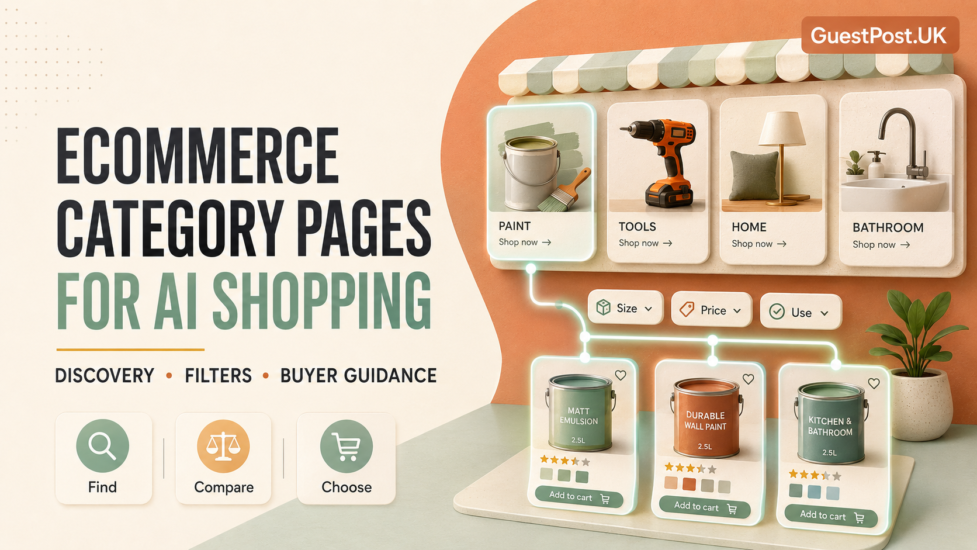
Ecommerce category pages are often treated as simple product grids: a title, a few filters, dozens of listings and perhaps two lines of copy at the bottom.
That approach leaves a lot of value on the table.
A category page is usually where a shopper begins to compare options. They may not know the exact product they need, but they do know the problem, room, budget, brand preference or type of item they are looking for. That makes category pages particularly important for AI search and AI shopping journeys, where people increasingly ask broader questions such as:
- “What is the best paint for a damp bathroom?”
- “Which cordless drill is suitable for home renovation?”
- “Where can I buy a narrow shower door with good seals?”
- “What type of flooring works with underfloor heating?”
These are not always product-page queries. They are discovery and decision queries. A strong category page provides search engines and AI systems with enough context to understand the product range while helping a real shopper move confidently towards the right option.
Google’s ecommerce guidance recommends making category and subcategory pages reachable via crawlable navigation, with links that lead through the hierarchy to product pages. Google Search Central
The page should do more than list inventory. It should explain the buying context.
Why Category Pages Matter in AI Shopping
A product page answers a precise question: “Is this specific drill available, what does it cost, and what are its specifications?”
A category page answers earlier questions:
- What types of drills are available?
- Which features should I compare?
- What is suitable for a beginner?
- What is the difference between cordless, combi and impact drills?
- Which products are relevant to a particular use case?
AI shopping tools often help users narrow down broad requirements before selecting a product. That means category pages can support visibility when they combine relevant inventory with useful decision guidance.
Google notes that ecommerce content can appear across Search, Images, Lens, Shopping and other surfaces. It also recommends category descriptions to help cover less specific shopping queries. Google’s ecommerce content guidance
A category page should therefore communicate four things clearly:
- What products are included.
- Who the category is for.
- How shoppers should compare the options.
- Where to find the right product next.
Begin With a Useful Category Introduction
The opening text should not be a keyword-stuffed paragraph written solely for SEO. It should orient the shopper.
A good category introduction gives a concise answer to three questions:
- What is this product category?
- What is it commonly used for?
- Which decision factors matter most?
For example, a bathroom-shower-door category could explain that shower doors vary by opening type, width adjustment, glass thickness, fitting position and seal quality. It could then point shoppers towards the most relevant subcategories: sliding doors, pivot doors, corner enclosures and walk-in panels.
That small piece of context helps a shopper begin their research before they filter. It also creates crawlable, useful information that a product grid alone cannot provide.
Write for the buying decision, not only the category name
Weak category copy usually repeats the product type:
“Browse our range of high-quality shower doors. Our shower doors are available in many styles and sizes.”
A stronger version identifies decision criteria:
“Choose from pivot, sliding and hinged shower doors for alcove and corner installations. Check the opening direction, adjustment range, glass thickness and bottom seal before selecting a model for your bathroom layout.”
The second version contains more value without becoming unnecessarily long.
Create a Clear Product Hierarchy
A well-structured ecommerce site makes it obvious how categories, subcategories and products connect.
For a construction materials store, the hierarchy might look like this:
- Bathrooms
- Shower doors
- Sliding shower doors
- Pivot shower doors
- Walk-in shower panels
- Shower trays
- Shower seals and accessories
- Shower doors
For a home-and-garden retailer:
- Power tools
- Drills
- Cordless drills
- Combi drills
- Impact drivers
- Sanders
- Saw blades and accessories
- Drills
This structure benefits customers because it reduces choice overload. It also benefits search engines because category relationships are established through internal links.
Google says it analyses how pages are linked together to understand site structure and relative importance. It specifically recommends links from menus to categories, from categories to subcategories, and from subcategories to individual products. Google’s ecommerce navigation guidance
Do not rely only on an internal site search box. Googlebot generally does not submit searches into an on-site search function to discover products.
Make the Product Grid Useful Without Hiding It Behind Filters
Filters are essential for shoppers. They help people narrow down a category by size, colour, brand, material, price, delivery speed, rating, or technical specifications.
They can also create serious crawl-management problems.
A faceted navigation system can generate thousands or millions of filter combinations, many of which have little or no unique search value. Google warns that faceted navigation URLs can create near-infinite URL space, leading to over-crawling and slowing the discovery of genuinely important pages. Google’s faceted navigation guidance
The right solution depends on your catalogue.
Filters worth indexing
Some filter combinations may represent stable, high-intent landing pages that shoppers genuinely search for, such as:
- “Black shower doors”
- “900mm sliding shower doors”
- “Cordless drills under €100”
- “Outdoor wall paint”
- “Oak laminate flooring”
These pages may deserve dedicated, curated URLs, useful introductory copy, carefully selected products and internal links.
Filters that should remain functional but not become SEO pages
Other combinations are useful only for on-site browsing:
- A specific mix of multiple obscure attributes
- Temporary price ranges
- Sort orders such as “lowest price first”
- Empty product combinations
- Repeated parameter sequences
- Internal search-result pages
These should not consume your crawl budget or appear as thin duplicate pages in search results.
If a filtered page is meant to be indexable, give it a stable URL, maintain a logical order for filters and make sure it returns a proper 404 response where no products exist. Google advises returning a genuine 404 for filter combinations with no results rather than redirecting them to a generic page. Google’s faceted-navigation documentation
Give AI Systems Product Context Beyond the Product Card
A typical product card includes an image, price, product name and add-to-basket button. That is not always enough to help a buyer understand the difference between options.
Category pages become more useful when they include practical context around the grid.
Add a “how to choose” section
This can appear above or below the products, depending on the user experience.
For a paint category, cover:
- Interior or exterior use
- Surface type
- Washability
- Finish level
- Moisture resistance
- Coverage per litre
- Colour testing and sample availability
For a shower-door category, cover:
- Available opening mechanisms
- Minimum and maximum fitting width
- Left- or right-hand opening
- Tray compatibility
- Glass thickness
- Seal and water-containment considerations
For a cordless-tool category, cover:
- Voltage
- Battery compatibility
- Brushless versus brushed motor
- Included batteries and charger
- Torque and drilling capacity
- Warranty and spare parts
This content should be written by someone who understands what makes customers return products, ask for support or choose the wrong specification. That is real commercial expertise.
Use comparison tables where they remove confusion
Tables can be more helpful than long paragraphs when several category options have clear differences.
| Product type | Best for | Main advantage | Consider before buying |
|---|---|---|---|
| Sliding shower door | Smaller bathrooms | Does not swing into the room | Check rail clearance and opening width |
| Pivot shower door | Standard alcove spaces | Wide, simple access | Needs room for the door swing |
| Walk-in panel | Open modern bathrooms | Minimal visual design | Requires proper splash-zone planning |
This kind of table is useful for a shopper and creates a straightforward information asset for search systems to interpret.
Use Category Copy to Connect Products With Real Use Cases
Generic category text tells people what the retailer sells. Better copy explains what the products solve.
Consider the difference between “laminate flooring” and “laminate flooring for rental properties, busy hallways, bedrooms and rooms with moderate moisture exposure”. The second angle helps shoppers identify themselves in the category.
Useful use-case content may include:
- Room or environment
- Skill level
- Installation method
- Budget band
- Material compatibility
- Seasonal need
- Common problem solved
- Suitable accessory or add-on
This is particularly important for retailers with large catalogues. A category can rank for broad terms, but conversion improves when shoppers can quickly understand which subcategory or specification suits their situation.
Support Categories With Helpful Images and Visual Clarity
AI shopping is increasingly visual. Strong category images help shoppers understand the range, material, size or installation context before they click through to an item.
Use images that do real work:
- Show the product in use where possible.
- Use consistent product-background treatment.
- Include multiple angles for technically complex items.
- Make image filenames and alt text descriptive.
- Avoid using only decorative lifestyle imagery for categories where dimensions matter.
For construction products, a clean image of the fitting detail can be more useful than a styled room scene. For paint, a clear finish comparison can be more helpful than a stock photograph of a paintbrush.
Google recommends product data in Merchant Center and accurate product information on site to improve eligibility across its commerce surfaces. Google Search Central
Do Not Put Product Schema on Category Pages as a Shortcut
Product structured data is designed primarily for pages that focus on a single purchasable product or multiple variants of the same product. Google’s merchant listing documentation recommends focusing product markup on individual product pages rather than category pages that list multiple products. Google’s merchant listing guidance
That does not make category pages less important. It simply means each page type has a different role.
Use category pages for:
- Product discovery
- Buyer education
- Navigation
- Subcategory selection
- Product-range context
- Internal linking
Use individual product pages for:
- Price
- Availability
- Product specifications
- Variant selection
- Merchant listing schema
- Reviews
- Shipping and return detail
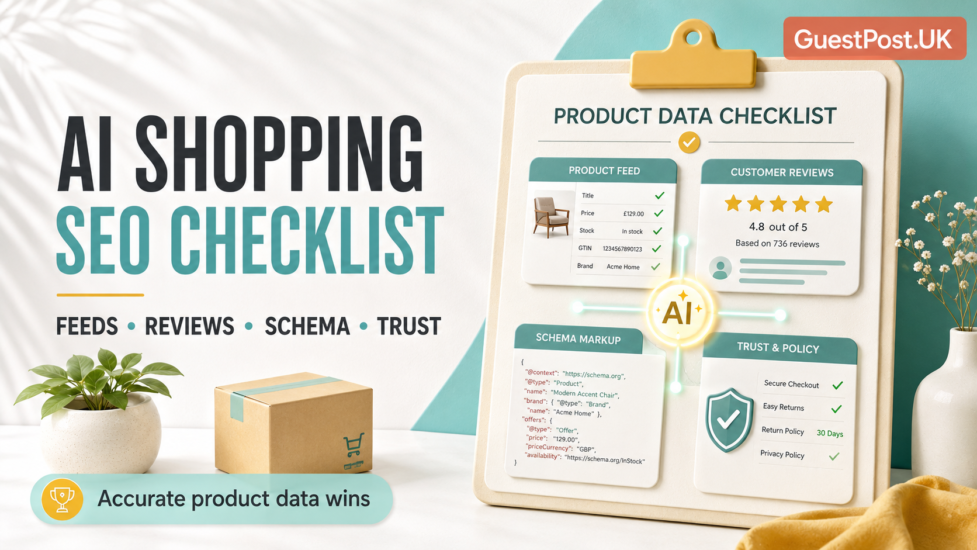
The next AI shopping SEO checklist can cover feeds, reviews, schema and product-level trust signals in more depth. This article focuses on helping category pages become useful discovery hubs.
Make Pagination and Incremental Loading Crawlable
Large categories often use “load more” buttons or infinite scroll to keep pages fast and easy to browse.
That can work for customers, but the full catalogue still needs a crawlable discovery path. Google recommends supporting pagination with persistent unique URLs and sequential links when using incremental loading or infinite scroll. Google’s pagination guidance
Check that:
- Products are available through normal category links.
- Each paginated set has a stable URL.
- Important products are not only revealed after repeated scrolling.
- Category pages return meaningful content before JavaScript loads.
- XML sitemaps include key product URLs.
- Products remain internally linked even when temporarily out of stock, where appropriate.
A crawler should be able to reach the products you want indexed without needing to simulate a complex shopping session.
Build Trust Into the Category Experience
AI shopping tools and human shoppers both need reliable information. A category page can reduce hesitation by making commercial conditions easy to find.
Link naturally to:
- Delivery information
- Returns and exchanges
- Payment options
- Store or showroom details
- Installation guidance
- Product warranties
- Customer support
- Size and measurement help
For high-consideration purchases, these details often matter as much as the grid itself. A buyer choosing a bathroom cabin or flooring solution wants to know whether the measurements are accurate, whether returns are possible and what happens if the product arrives damaged.
This information need not appear in full on every category page. A concise summary with clear links is usually enough.
The Category-Page Pattern to Monitor
Track category-page performance as a sequence of signals:
- Improved internal links and crawlability → more product URLs discovered and indexed.
- Better introductory content and subcategory links → more impressions for broad discovery searches.
- Clearer filters and visual product comparison → higher engagement with product-listing pages.
- More qualified category traffic → stronger product-page visits and add-to-basket activity.
- Higher category visibility but weak conversion → revisit assortment, price clarity, filters and trust information.
Google Search Console can show category-page impressions, clicks and query patterns. Analytics and ecommerce data then reveal whether visitors browse, filter, add products to their basket or leave after the first page.
Treat Categories as Digital Shop Floors
A good physical shop does not place every product in one aisle with a filter sign at the entrance. It groups items logically, explains the differences, helps customers compare and makes the next step obvious.
Your ecommerce category pages should do the same online.
Give each category a clear purpose. Build crawlable paths to products. Curate the filter experience rather than letting it generate endless weak URLs. Add buying advice where decisions are difficult. Then keep product details, availability and supporting information accurate.
That is how category pages become useful to shoppers first — and far more prepared for AI search and AI shopping discovery.