AI content briefs are only as useful as the evidence behind them. If the brief is built entirely from a keyword tool, competitor headings and an AI-generated outline, it can look complete while still missing the real questions people ask before they reach your site.
Google Search Console changes that. It provides first-party evidence of the queries, pages, clicks, impressions, and search patterns already associated with your website. Used properly, this data helps turn a generic AI content brief into a focused editorial plan with a clearer search intent, stronger internal-link opportunities and fewer assumptions.
For agencies, SaaS teams, and businesses that publish regularly, the opportunity is not simply to create more pages. It is to identify where Google already sees relevance, then develop the pages that can deepen that relevance. This is especially important as AI Overviews, Google AI Mode and conversational search experiences increasingly surface concise, well-supported information from trusted pages.
Google confirms that its AI search features still rely on core Search ranking and quality systems to retrieve relevant pages from its index. In practice, that means disciplined SEO fundamentals and useful content briefs remain central to AI visibility. Google’s AI search guidance
Why Google Search Console Should Shape Your AI Content Briefs
Keyword tools estimate demand. Competitor tools reveal what other websites rank for. Both are useful, but Google Search Console shows how your pages actually appear in Google Search.
Its Performance report includes clicks, impressions, click-through rate, and average position, with breakdowns by queries, pages, countries, devices, and search appearance. Google Search Console documentation
That distinction matters when creating AI content briefs. You are not only asking, “What keyword has volume?” You are asking:
- Which topics does Google already associate with our website?
- Which questions generate impressions but receive few clicks?
- Which pages are attracting broad long-tail visibility without properly answering the topic?
- Which commercial pages need supporting informational content?
- Where could a clear, original answer make our content more citable in AI-led results?
A strong brief becomes a decision document, not a list of headings.
The Four Search Console Metrics That Matter Most
Impressions: early evidence of topical relevance
High impressions with few clicks are often more valuable than they appear. They show that Google is testing your page for a topic, even if the page is not yet sufficiently prominent or compelling.
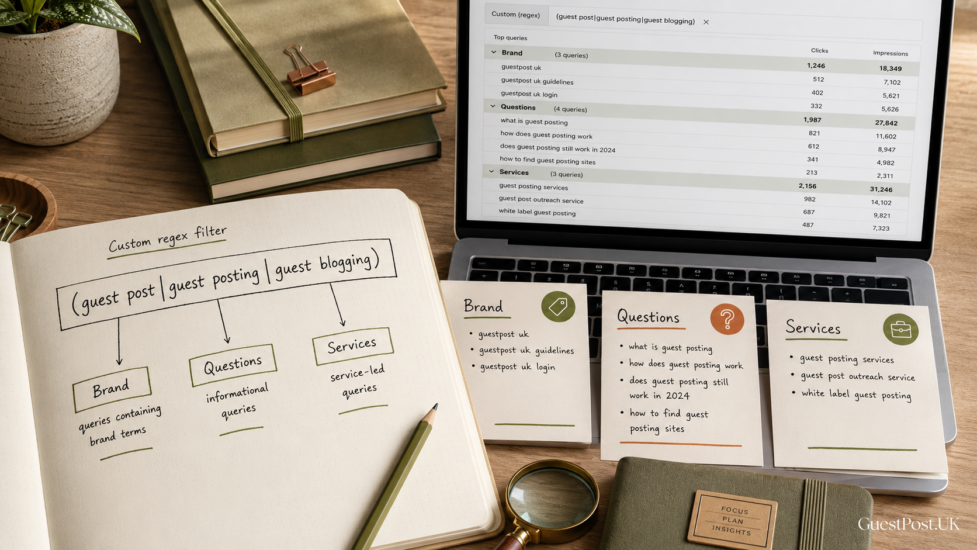
For AI content briefs, look for recurring themes in these queries. A guest posting service page, for example, may receive impressions for “guest posting strategy”, “how to buy guest posts safely” and “guest post outreach service”. Rather than trying to force all three phrases into one sales page, the data may justify separate supporting articles.
Clicks: evidence of proven demand
Clicks show that a query has already brought real users to the site. This makes it a useful priority signal, particularly when the related content is commercially relevant.
However, do not build every brief around clicks alone. A page may receive clicks from a narrow branded query while missing a much larger informational opportunity. Search Console is best used by comparing clicks with impressions, position and page intent.
CTR: a clue, not a content quality score
Click-through rate is useful for identifying pages whose snippets, titles, or perceived relevance are underperforming. A low CTR on a page ranking between positions three and eight can suggest a mismatch between the search query and the title, description or visible angle.
It does not always mean the article needs to be rewritten. AI Overviews, ads, shopping units and featured snippets can reduce organic clicks even where a page is performing well. Treat CTR as an investigation prompt, not a verdict.
Average position: direction, not precision
Average position helps identify where a page is close enough to compete but not yet strong enough to win. Queries sitting around positions 8–20 are often ideal sources for new AI content briefs, particularly if the existing landing page only partially covers the subject.
Google explains that position is based on the highest-positioned result from your site and that results vary by time, location, device and a searcher’s context. Google’s Performance report overview: Avoid treating it as a fixed ranking checked from your browser.
A Practical Process for Turning Search Console Data Into a Content Brief
1. Start with a 90-day comparison, not one isolated week
Use at least 90 days of data for evergreen content planning, then compare it with the previous period. Short periods can be distorted by seasonality, a single ranking movement or a temporary surge.
Turn on clicks, impressions, CTR and average position. Then review the query report first, filtering out obvious branded searches where necessary.
The aim is to find patterns rather than chase individual keywords. If several queries concern the same decision, problem or process, that is a content cluster.
2. Find “almost relevant” query groups
The best Google Search Console opportunities often sit between clear success and clear failure. Look for query groups where:
- Impressions are rising, but positions remain outside the top five.
- Several long-tail queries point towards the same unanswered question.
- A commercial page appears for educational searches but does not fully satisfy them.
- A blog post ranks for service-led terms but lacks a useful next step.
- Different URLs each receive impressions for similar phrases, signalling a possible cannibalisation issue.
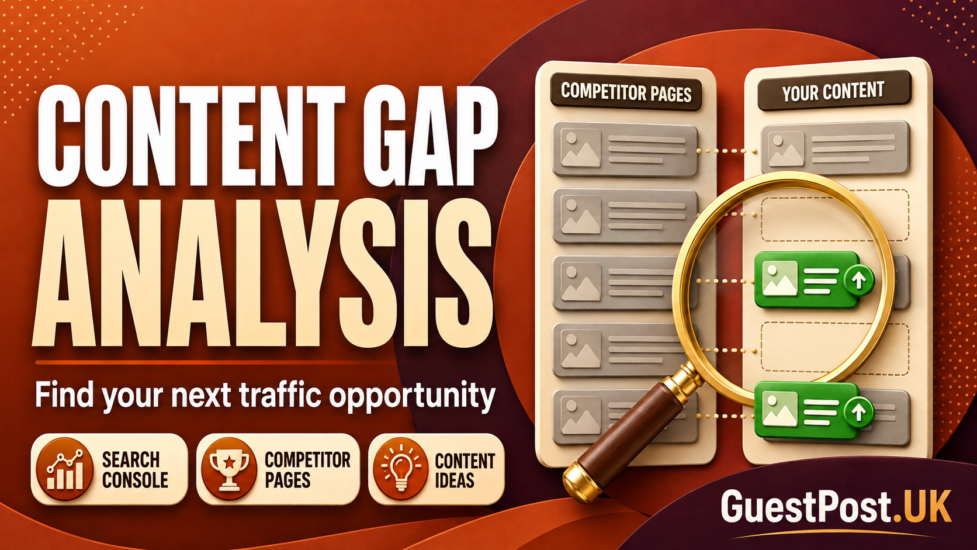
For example, a site offering SEO services may find that several pages receive impressions for “AI content brief”, “content brief for SEO” and “how to write an AI content brief”. This does not necessarily require three articles. It may need one authoritative guide, a targeted tool page, and clear internal links to relevant services.
3. Switch to the Pages report to identify the right URL
A query is only useful when you know which page Google currently associates with it. Click into a promising query, then open the Pages tab.
This quickly reveals whether you should:
- Improve the existing page.
- Create a dedicated article.
- Merge overlapping pages.
- Add a section that answers the question directly.
- Build a supporting page that links into a commercial service page.
Do not create a new article simply because a query appears in Search Console. If a suitable page already exists and has authority, improving it is often the cleaner choice.
4. Segment by device, country and search type
A content brief for UK business owners should not be driven by a mixed global query set if the service is UK-focused. Apply country filters where relevant, then compare desktop and mobile behaviour.
Device differences can be revealing. A query that attracts mobile impressions but low CTR may need a clearer opening, a shorter answer format or a page that loads and communicates its value quickly.
Also check Search type. Web, image, video and news visibility can reflect different content needs. Google Search Console’s filters and comparisons are designed for this type of detailed analysis. Performance report filtering guidance
Build the Brief Around Search Intent, Not Just Keywords
Once a pattern is confirmed, the next step is to translate it into a useful AI content brief.
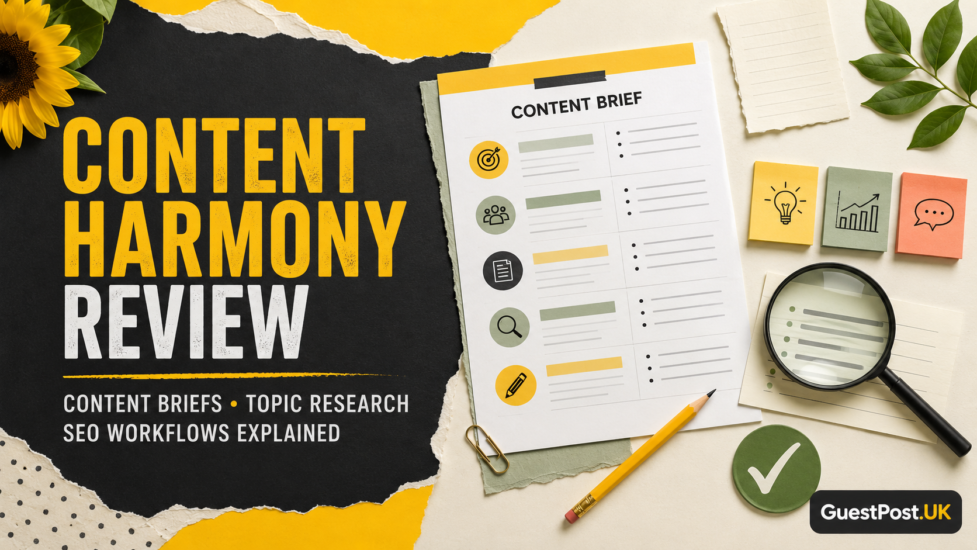
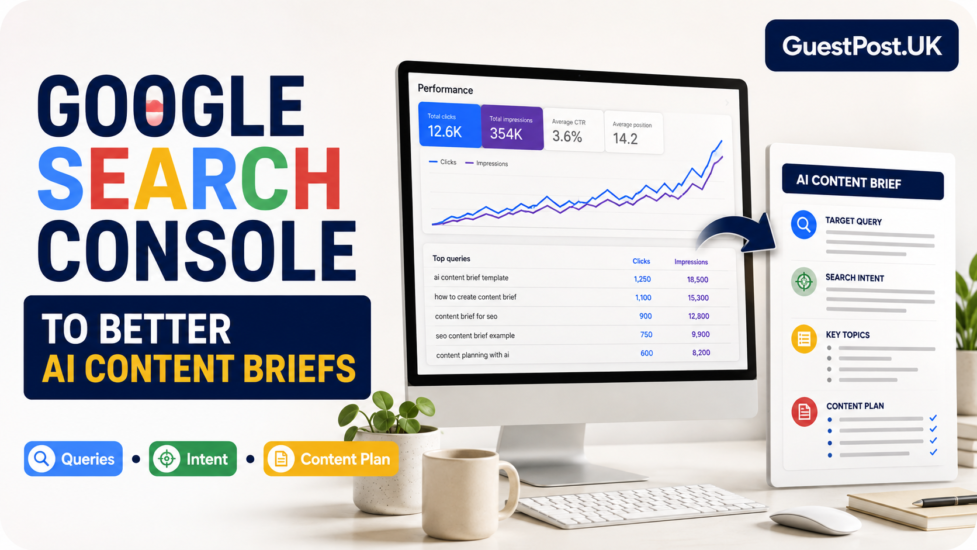
A practical brief should include:
| Brief element | What Search Console contributes |
|---|---|
| Primary topic | The recurring query theme attracting impressions |
| Search intent | Whether users need a definition, process, comparison or supplier |
| Audience | The likely searcher based on wording and landing-page behaviour |
| Existing URL | Whether to update, consolidate or create a page |
| Supporting questions | Long-tail queries and modifiers already triggering visibility |
| Evidence required | Claims that need first-party examples, screenshots or sources |
| Internal links | Relevant service, tool and related-guide destinations |
| Success measure | Growth in qualified impressions, clicks and target query groups |
The brief should state what the reader must be able to do after reading. “Understand AI content briefs” is vague. “Use Search Console query and page data to choose, structure and prioritise the next content brief” is actionable.
What an AI-Ready Content Brief Should Include
A direct answer near the start
Conversational and AI-led search experiences work best with content that can answer a specific question clearly before expanding on the detail. Include a concise explanation early in the draft, then support it with examples and practical caveats.
For this topic, the direct answer is simple: use Google Search Console to identify the search queries and page-level gaps your site is already connected with, then turn those patterns into focused content plans.
Original evidence and practical examples
Avoid a brief that instructs a writer to “cover the same headings as the top 10 results”. That produces predictable pages with little reason to be cited.
Instead, ask for:
- A realistic agency scenario.
- Screenshots or anonymised examples where available.
- First-hand recommendations based on workflow.
- Clear distinctions between a useful metric and a misleading one.
- Explicit limitations, especially around ranking and attribution data.
Google’s people-first content guidance stresses that content should be made to benefit readers rather than primarily manipulate rankings. Google’s helpful-content guidance
Internal links with a job to do
Internal links should not be added as a final publishing chore. Include them in the brief from the start.
For GuestPost.UK, this article can naturally link to the SEO Content Brief Generator, keyword research services, SEO competitor analysis, internal linking guidance and SEO content writing services.
Each link should help the reader take the next logical step. A tool page supports implementation; a service page supports businesses that need help applying the process.
The Trend Pattern to Watch
Think of Search Console opportunity as a simple trend graph:
- High impressions + improving average position + low CTR: optimise the existing article’s relevance, title and opening answer.
- High impressions + many pages appearing for similar queries: investigate cannibalisation and consolidate the topic.
- Low impressions + high CTR: preserve the page, but expand its supporting content and internal links to increase reach.
- Rising impressions + no dedicated page: develop a focused content brief before competitors establish the stronger answer.
- Stable clicks + falling impressions: review whether newer competitors, changing intent or SERP features have shifted the opportunity.
The key is correlation, not blind automation. A traffic decline may reflect seasonality, changes in search layout, or a difference in demand. Google Search Console tells you where to investigate; it does not replace editorial judgement.
Useful Tools Alongside Search Console
Google Search Console should be the primary source for your organic performance data. Pair it with other tools for different jobs:
- Google Analytics: confirms what visitors do after the click, including leads, engagement and conversions. Google notes that Search Console measures activity before a visitor reaches the site, while Analytics measures behaviour on-site. Google’s comparison guide
- Ahrefs, Semrush or SE Ranking: useful for broader competitor research, estimated demand and backlink context.
- Screaming Frog or Sitebulb: helpful when page-level opportunity is blocked by duplication, indexing, internal-linking or technical issues.
- AI tools: useful for clustering queries, challenging a weak outline or generating a first draft, but never as a substitute for the Search Console evidence.
For agencies, the efficient workflow is Search Console first, competitor research second, AI assistance third.
Common Mistakes When Using Search Console for Content Planning
Treating every query as a separate article idea
Search Console reports query variations, not perfectly organised topics. Group semantically similar searches before planning content.
Ignoring low-volume long-tail phrases
Individual long-tail queries may have modest numbers, but together they often reveal the exact questions readers need answered. These phrases are especially useful for FAQs, subheadings and practical examples.
Creating content without checking existing pages
Always check the Pages tab, sitemap and internal site search first. Publishing a near-duplicate can split relevance rather than strengthen it.
Mistaking impressions for commercial demand
A page can receive thousands of impressions from broad research queries that never convert. Use Google Analytics, CRM information and commercial intent checks before prioritising the work.
FAQ: Google Search Console Data for AI Content Briefs
How do I use Google Search Console to find content ideas?
Review the Queries report for the past 90 days, identify recurring non-branded themes with meaningful impressions, then check the Pages report to see whether an existing URL already addresses the topic well.
What Search Console metric is best for content briefs?
Impressions are usually the best starting point because they reveal topics Google already associates with your site. Combine them with clicks, CTR, average position and page-level context before making a content decision.
Can Google Search Console show AI Overview traffic?
Search Console can report organic Search performance, but it does not provide a complete standalone measurement of every AI-driven mention or citation. Use it to measure search visibility and clicks, then complement it with specialist AI visibility monitoring where needed.
Should I update an existing article or write a new one?
Update the existing page when it already matches the search intent and has useful authority. Create a new page when the query group represents a distinct question, audience need, or commercial stage that the existing URL cannot address effectively.
All in All!
Google Search Console should be the starting point for AI content briefs because it is your most reliable source of first-party search performance data. Prioritise query groups with growing impressions, partial rankings and a clear gap between what searchers need and what your current page delivers.
Beginners should use the Performance report to identify obvious query themes and improve existing pages. In-house teams should combine page-level data with Analytics conversion information. Agencies and advanced SEOs should use Search Console as the evidence layer beneath competitor tools, technical crawls and AI-assisted content workflows.
The best AI content briefs do not begin with an automated outline. They begin with the language real searchers use, the pages Google already tests and a clear plan to deliver a more useful answer than what exists today.