

Why Analytics & Tracking Tools Are the Backbone of Modern SEO
If your website is your business, then analytics & tracking tools are your control panel. Without them, you’re effectively flying blind—guessing what works instead of making data-driven decisions.
From understanding user behaviour to tracking keyword rankings and conversions, the right analytics & tracking tools can significantly impact your growth trajectory. According to Statista, over 55% of websites globally rely on analytics platforms to monitor performance. Meanwhile, businesses that leverage behavioural analytics tools report up to 20% higher conversion rates, as per McKinsey & Company.
In this guide, we break down four of the most powerful analytics & tracking tools:
- Google Analytics
- Google Search Console
- Hotjar
- Matomo
You’ll learn exactly how they compare, which one fits your use case, and how to leverage them for SEO and guest posting success.
What Are Analytics & Tracking Tools?
Analytics & tracking tools are software platforms that collect, process, and visualise data about website visitors, behaviour, and performance.
Think of them like a fitness tracker for your website. Just as a smartwatch monitors steps, heart rate, and sleep, analytics & tracking tools monitor traffic, engagement, and conversions.
They typically provide insights into:
- Traffic sources (organic, paid, referral)
- User behaviour (clicks, scrolls, session duration)
- SEO performance (keywords, impressions, CTR)
- Conversion tracking (goals, events, funnels)
Google Analytics: The Industry Standard for Traffic Insights
Google Analytics is the most widely used analytics platform globally, offering deep insights into website traffic and user behaviour.
Key Features
- Real-time traffic monitoring
- Audience segmentation and demographics
- Conversion tracking and funnel analysis
- Integration with Google Ads and Search Console
- Advanced event tracking (GA4)
Pricing
- Free (standard version)
- GA4 360 (enterprise pricing)
Best Use Cases
- SEO performance tracking
- Conversion optimisation
- Marketing campaign analysis
- Ecommerce analytics
Pros
- Extremely powerful and scalable
- Free for most users
- Deep integration with the Google ecosystem
Cons
- Steep learning curve (especially GA4)
- Data sampling in large datasets
- Privacy concerns in some regions
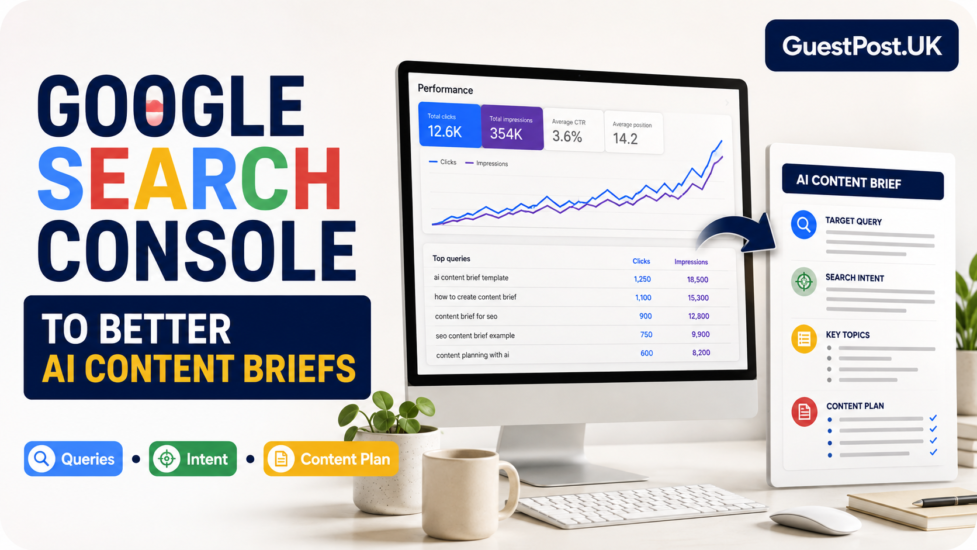
Google Search Console: Essential for SEO Visibility
Google Search Console is a must-have for anyone serious about SEO.
Key Features
- Keyword performance (clicks, impressions, CTR)
- Indexing and crawl error reports
- Sitemap submission
- Core Web Vitals monitoring
- Backlink insights
Pricing
- Completely free
Best Use Cases
- Keyword tracking
- Technical SEO audits
- Indexation monitoring
- Identifying ranking opportunities
Pros
- Direct data from Google
- Essential for SEO professionals
- Simple and easy to use
Cons
- Limited historical data
- No behavioural insights
- Not a full analytics solution
Hotjar: Behavioural Analytics and User Experience Insights
Hotjar focuses on how users interact with your website.
Key Features
- Heatmaps (clicks, taps, scrolls)
- Session recordings
- User feedback polls and surveys
- Conversion funnel analysis
Pricing
- Free plan available
- Paid plans based on traffic volume
Best Use Cases
- UX optimisation
- Conversion rate optimisation (CRO)
- Landing page improvements
Pros
- Visual insights into user behaviour
- Easy to set up and interpret
- Excellent for UX teams
Cons
- Not SEO-focused
- Limited traffic analytics
- Can become expensive at scale
Matomo: Privacy-Focused Analytics Alternative
Matomo is a powerful alternative to Google Analytics, particularly for privacy-conscious businesses.
Key Features
- Full data ownership
- GDPR-compliant tracking
- On-premise or cloud hosting
- Customisable dashboards
- No data sampling
Pricing
- Free (self-hosted version)
- Paid cloud plans
Best Use Cases
- Privacy-compliant analytics
- Enterprise data control
- Government or EU-based businesses
Pros
- Complete data ownership
- Strong privacy compliance
- Highly customisable
Cons
- Requires technical setup
- Smaller ecosystem than Google
- Limited integrations compared to GA
Analytics & Tracking Tools Comparison Table
| Feature | Google Analytics | Search Console | Hotjar | Matomo |
|---|---|---|---|---|
| Traffic Analytics | Yes | Limited | No | Yes |
| SEO Data | Partial | Yes | No | Partial |
| Behaviour Tracking | Yes | No | Yes | Yes |
| Heatmaps | No | No | Yes | Plugin-based |
| Data Ownership | No | No | No | Yes |
| GDPR Compliance | Partial | Yes | Yes | Strong |
| Pricing | Free / Paid | Free | Free / Paid | Free / Paid |
Feature Breakdown: Which Tool Excels Where?
For SEO Tracking
- Best: Google Search Console
- Supplement with: Google Analytics
For User Behaviour
- Best: Hotjar
For Privacy Compliance
- Best: Matomo
For All-in-One Analytics
- Best: Google Analytics
Practical Use Cases for SEO and Guest Posting
1. Identifying High-Performing Guest Posts
Use:
- Google Analytics to track referral traffic
- Google Search Console to monitor keyword rankings
2. Improving Content Engagement
Use:
- Hotjar to analyse scroll depth and clicks
3. Ensuring GDPR Compliance
Use:
- Matomo
Visual Representation of Tool Capabilities
Traffic Analytics ██████████ Google Analytics
SEO Insights ██████████ Search Console
User Behaviour ██████████ Hotjar
Privacy Control ██████████ Matomo
Expert Tips to Maximise Analytics & Tracking Tools
- Combine tools instead of relying on one
- Track micro-conversions (scroll, clicks, time on page)
- Use UTM parameters for guest post tracking
- Regularly audit data accuracy
- Align analytics with SEO KPIs
Google Analytics vs Matomo vs Hotjar vs Search Console: Which One Should You Choose?
Choose Google Analytics if:
- You need comprehensive traffic data
- You run marketing campaigns
- You want scalable analytics
Choose Search Console if:
- Your focus is SEO performance
- You need keyword insights
- You want direct Google data
Choose Hotjar if:
- You want to improve UX
- You need visual behaviour insights
- You optimise landing pages
Choose Matomo if:
- Privacy is critical
- You operate in the EU
- You want full data ownership
Final Verdict: Best Analytics & Tracking Tools for Different Users
- Best overall analytics tool: Google Analytics
- Best for SEO insights: Google Search Console
- Best for UX and CRO: Hotjar
- Best privacy-focused alternative: Matomo
In reality, the most effective strategy is to use a combination of these analytics & tracking tools to get a complete picture of your website performance.
Frequently Asked Questions About Analytics & Tracking Tools
What are the best analytics & tracking tools for beginners?
Start with Google Analytics and Google Search Console. They are free and provide essential insights.
Can I use multiple analytics tools together?
Yes. In fact, combining analytics & tracking tools provides more accurate and actionable data.
Are analytics tools GDPR compliant?
Tools like Matomo are designed for full compliance, while others may require configuration.
Do analytics tools affect website speed?
Some tools (especially behavioural ones like Hotjar) can slightly impact performance if not optimised.
Which tool is best for SEO tracking?
Google Search Console is the best dedicated SEO tracking tool.
By strategically leveraging these analytics & tracking tools, you can transform raw data into actionable insights, improve SEO performance, and maximise the ROI of your guest posting campaigns.