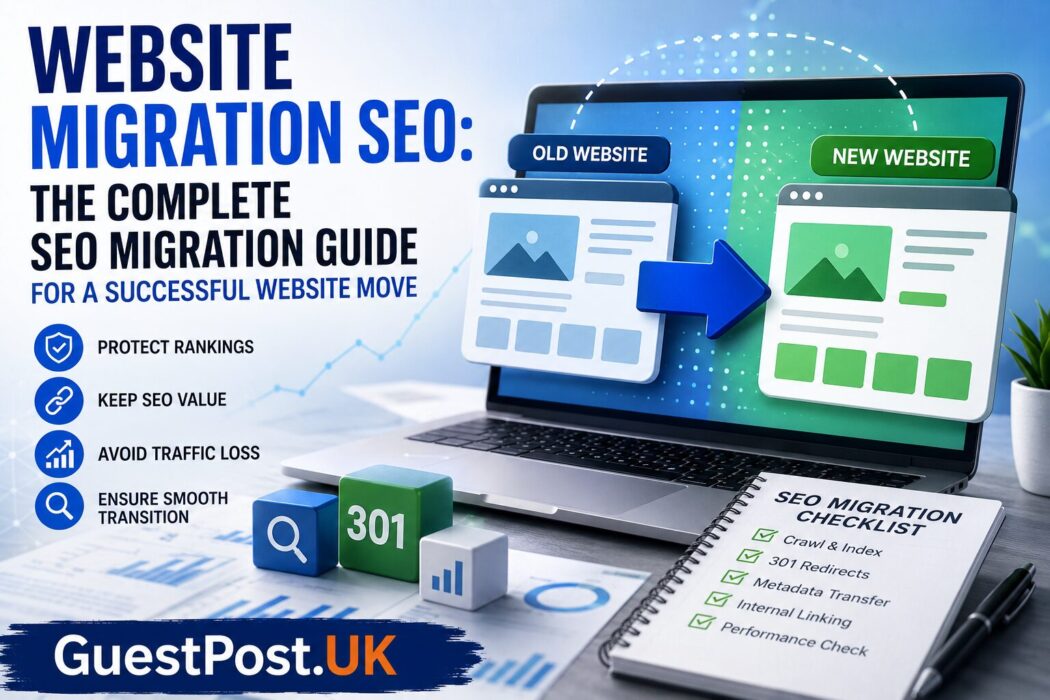
A website migration can significantly improve your business—or seriously damage your search visibility.
Whether you’re changing domains, redesigning your website, moving to a new CMS, migrating from HTTP to HTTPS, restructuring URLs, or consolidating multiple websites, every migration introduces SEO risk. Even technically sound migrations can lose rankings if search engines struggle to understand the changes.
The good news is that most migration-related ranking losses are entirely preventable.
This guide explains everything you need to know about website migration SEO, including how to build an effective SEO migration plan, conduct an SEO migration audit, execute a successful migration, and monitor performance afterwards.
Whether you’re an SEO consultant, agency, developer, marketing manager or website owner, this guide provides a practical framework that can be adapted to projects of any size.
What Is Website Migration SEO?
Website migration SEO refers to the planning, implementation and monitoring processes that protect organic search performance during significant website changes.
Unlike a standard website update, a migration changes elements that search engines rely upon to understand and rank your content.
Common examples include:
- Domain migrations
- Website redesigns
- CMS migrations
- Platform migrations (Shopify, Magento, WordPress, etc.)
- HTTPS migrations
- URL structure changes
- International SEO migrations
- Website consolidations
- Server migrations
- Large-scale content restructuring
The objective isn’t simply moving a website.
The objective is preserving—and ideally improving—organic visibility throughout the transition.
Why Website Migrations Often Damage SEO
Search engines build trust over months or years.
When numerous website signals change simultaneously, Google needs to reassess how pages relate to one another.
Typical migration mistakes include:
- Missing redirects
- Deleted pages without replacements
- Internal links pointing to old URLs
- Broken canonical tags
- Robots.txt errors
- Incorrect noindex directives
- Missing XML sitemaps
- Slow server response
- Duplicate content
- JavaScript rendering issues
Each issue alone may appear minor.
Combined, they can cause dramatic traffic losses.
Many websites lose 20–80% of their organic traffic simply because migration planning was treated as a development project rather than an SEO project.
Types of Website Migrations
Domain Migration
Moving from:
- olddomain.com
- newdomain.com
Google needs to transfer ranking signals through correctly implemented 301 redirects.
CMS Migration
Examples include:
- Wix to WordPress
- Joomla to WordPress
- Magento to Shopify
- Drupal to WordPress
These often introduce:
- URL changes
- metadata changes
- template changes
- internal linking differences
HTTPS Migration
Although HTTPS is now standard, poorly configured migrations still create:
- duplicate URLs
- mixed content
- redirect chains
Website Redesign
Visual changes alone rarely affect SEO.
Problems occur when redesigns alter:
- page hierarchy
- navigation
- headings
- content
- internal linking
URL Structure Migration
Changing URLs such as:
example.com/blog/post

↓

example.com/resources/post
Every URL change requires careful redirect mapping.
Website Consolidation
Merging several websites into one requires:
- redirect mapping
- content consolidation
- authority preservation
- duplicate content management
When Do You Need an SEO Migration Plan?
You should create an SEO migration plan whenever changes affect:
- URLs
- website architecture
- navigation
- domain
- hosting
- platform
- server
- templates
- content hierarchy
If Google needs to re-evaluate your website structure, migration SEO should become part of the project from day one.
The Website Migration SEO Process
Phase 1 — Discovery
Every migration starts with understanding the existing website.
Document:
- indexed pages
- top landing pages
- highest traffic URLs
- strongest backlinks
- conversions
- keyword rankings
- crawl depth
- orphan pages
- canonical structure
Without baseline data, you cannot measure migration success.
Phase 2 — SEO Migration Audit
An SEO migration audit identifies everything that must be preserved.
Typical audit areas include:
Technical SEO
- crawlability
- indexability
- Core Web Vitals
- structured data
- robots.txt
- XML sitemap
On-page SEO
- titles
- meta descriptions
- headings
- image optimisation
- schema
Internal Linking
Review:
- orphan pages
- broken links
- navigation
- contextual links
Backlink Analysis
Protect pages that attract valuable backlinks.
These often generate the strongest authority signals.
Phase 3 — URL Mapping
One of the most important migration tasks.
Every existing URL should have a destination.
Example:
| Old URL | New URL |
|---|---|
| /seo-guide | /seo/guide |
| /services/link-building | /link-building-services |
Avoid redirecting everything to the homepage.
Google expects relevant replacements.
Phase 4 — Redirect Strategy
301 redirects transfer authority.
Best practices include:
- one redirect per URL
- no redirect chains
- no redirect loops
- preserve relevance
- avoid mass homepage redirects
Poor redirect implementation remains one of the biggest causes of ranking loss.
Phase 5 — Staging Environment Review
Before launch:
Check:
- noindex tags
- robots.txt
- canonical tags
- structured data
- redirects
- XML sitemap
- mobile usability
- page speed
Never launch a website without crawling the staging version first.
Phase 6 — Launch Day
Launch isn’t the finish line.
It’s the beginning of intensive monitoring.
Immediately verify:
- redirects
- crawl errors
- indexing
- server logs
- analytics
- Search Console
- XML sitemap submission
Phase 7 — Post Migration Monitoring
For several weeks, monitor:
- rankings
- impressions
- clicks
- crawl stats
- index coverage
- Core Web Vitals
- organic traffic
- conversions
Some volatility is expected.
Large sustained declines usually indicate technical issues requiring investigation.
Website Migration SEO Checklist
A practical SEO migration checklist includes:
Before Migration
- Complete full website crawl
- Export all URLs
- Record rankings
- Export backlinks
- Backup website
- Audit metadata
- Audit schema
- Build redirect map
- Test staging environment
- Prepare XML sitemap
During Migration
- Enable redirects
- Update canonicals
- Update robots.txt
- Replace internal links
- Validate structured data
- Remove staging restrictions
After Migration
- Submit XML sitemap
- Verify Search Console
- Check crawl errors
- Monitor indexation
- Monitor rankings
- Check conversions
- Review server logs
- Identify redirect issues
- Fix broken links
Using a structured website migration SEO checklist dramatically reduces avoidable mistakes.
Common Website Migration Mistakes
Launching Without Redirects
Perhaps the most damaging mistake.
Old URLs returning 404 errors lose accumulated authority.
Removing High-Performing Pages
Pages generating traffic should rarely disappear completely.
If removal is unavoidable, redirect them to the closest relevant equivalent.
Ignoring Internal Links
Many websites correctly redirect users but leave thousands of internal links pointing to outdated URLs.
Updating internal links improves crawl efficiency.
Blocking Search Engines
Staging environments often use:
Disallow: /Sometimes this accidentally reaches production.
The result:
Entire websites disappear from Google’s index.
Forgetting XML Sitemaps
Updated sitemaps help Google discover new URLs more efficiently.
Missing Canonical Updates
Canonical tags should reference new URLs—not historical ones.
Neglecting Performance Testing
Migration often changes:
- themes
- scripts
- hosting
- image handling
Performance should always be reviewed after launch.
SEO Migration Audit: What Should Be Included?
A professional SEO migration audit normally covers:
Crawl Analysis
Using crawlers to compare:
Old website
↓
New website
Identify:
- missing pages
- duplicate pages
- broken pages
- redirect problems
Metadata Comparison
Ensure titles, descriptions and headings remain consistent.
Unexpected metadata changes frequently reduce click-through rates.
Structured Data Validation
Confirm:
- Organisation schema
- Article schema
- Product schema
- FAQ schema
- Breadcrumb schema
remain valid.
Internal Link Audit
Review:
- navigation
- footer
- breadcrumbs
- contextual links
Every important page should remain discoverable.
Backlink Preservation
Identify pages with valuable inbound links.
Ensure they receive appropriate redirects.
SEO Migration Plan Example
A simplified migration workflow might look like:
Week 1
- Discovery
- Crawling
- Analytics export
- Keyword export
Week 2
- URL mapping
- Redirect planning
- Content audit
Week 3
- Staging testing
- Technical QA
- Performance testing
Launch Week
- Deploy redirects
- Submit sitemap
- Monitor Search Console
Following Month
- Ranking monitoring
- Crawl monitoring
- Fix emerging issues
Large enterprise websites often extend this timeline considerably.
Essential Tools for Website Migration SEO
Google Search Console
Essential for:
- indexing
- crawl errors
- coverage reports
- sitemap submission
- URL inspection
Google Analytics
Measures:
- traffic
- conversions
- landing page performance
Screaming Frog SEO Spider
Excellent for:
- crawling
- redirect validation
- metadata comparison
- broken links
- canonical analysis
Ahrefs
Useful for:
- backlink analysis
- top pages
- lost links
- authority monitoring
Semrush
Helpful for:
- ranking monitoring
- keyword tracking
- visibility changes
- competitor comparisons
Sitebulb
Provides highly visual technical SEO auditing before and after migrations.
Website Migration SEO for Ecommerce Websites
Ecommerce migrations introduce additional complexity.
You must preserve:
- category pages
- product pages
- pagination
- faceted navigation
- filters
- structured data
- reviews
- product URLs
Large online stores may involve hundreds of thousands of URLs, making automated redirect validation essential.
Website Migration SEO for Local Businesses
Local SEO migrations require additional checks:
- Google Business Profile links
- NAP consistency
- location pages
- local schema
- citations
- map embeds
Even small URL changes can impact local rankings if implemented incorrectly.
Website Migration SEO for International Websites
International websites should carefully validate:
- hreflang
- country targeting
- language versions
- regional sitemaps
- canonical relationships
International migrations often require phased rollouts rather than one large deployment.
Graph-Style View: Typical Organic Traffic During a Migration
Although every website behaves differently, organic traffic often follows a similar pattern:
Organic Visibility

High ──────────────────────╮
                           │
                           │
                           │
                           │
Launch Day                 │
                           ▼
                    Temporary Dip
                           ▼
               Recovery Phase Begins
                           ▲
                           │
                           │
                    Previous Levels
                           ▲
                           │
                     Growth Phase

Time ─────────────────────────────────────────►
A small temporary decline is common.
A prolonged downward trend usually indicates unresolved migration issues that require investigation.
How Long Does SEO Recovery Take After a Website Migration?
Recovery depends on:
- website size
- crawl frequency
- redirect quality
- authority
- technical implementation
Typical timelines:
| Website Size | Recovery |
|---|---|
| Small business | 2–6 weeks |
| Medium website | 1–3 months |
| Large ecommerce | 3–6 months |
| Enterprise | 6–12 months |
Proper planning significantly shortens recovery time.
People Also Ask
What is website migration SEO?
Website migration SEO is the process of protecting search rankings and organic traffic when making significant website changes such as domain moves, redesigns, CMS migrations or URL restructures.
What is an SEO migration audit?
An SEO migration audit analyses the existing website before migration and validates the new website afterwards to identify issues that could negatively affect search performance.
What is an SEO migration checklist?
An SEO migration checklist is a structured list of tasks covering planning, redirects, technical SEO, testing and post-launch monitoring to minimise ranking losses.
Do website migrations always lose rankings?
No. Temporary fluctuations are common, but a well-planned migration with accurate redirects, preserved content and proper technical implementation can maintain—or even improve—organic performance.
What is the most important part of website migration SEO?
Comprehensive planning is the most important factor. Accurate URL mapping, correct 301 redirects, technical validation and ongoing monitoring together have the greatest impact on preserving rankings.
Should I hire an SEO specialist for a migration?
For any migration involving significant traffic, revenue or thousands of indexed pages, specialist SEO support is strongly recommended. The cost of expert planning is often far lower than the cost of recovering lost organic visibility.
Final Verdict
Website migrations are among the highest-risk technical SEO projects because they affect nearly every signal search engines use to understand a website. Yet they also present an opportunity to improve site architecture, performance, user experience and long-term organic growth when executed correctly.
The most successful migrations begin months before launch with a comprehensive SEO migration audit, detailed URL mapping and a documented SEO migration plan. Launch day should be viewed as the start of the monitoring phase rather than the finish line, with continuous checks for crawl issues, indexing, rankings and conversions.
For smaller websites, combining Google Search Console, Google Analytics, and Screaming Frog SEO Spider is usually sufficient to manage a migration effectively. Agencies and larger organisations should supplement these with platforms such as Ahrefs, Semrush, or Sitebulb for deeper backlink analysis, visibility tracking and technical auditing.
Ultimately, prioritise planning over speed. A carefully managed website migration SEO strategy preserves the authority you’ve spent years building and provides a solid foundation for future organic growth.