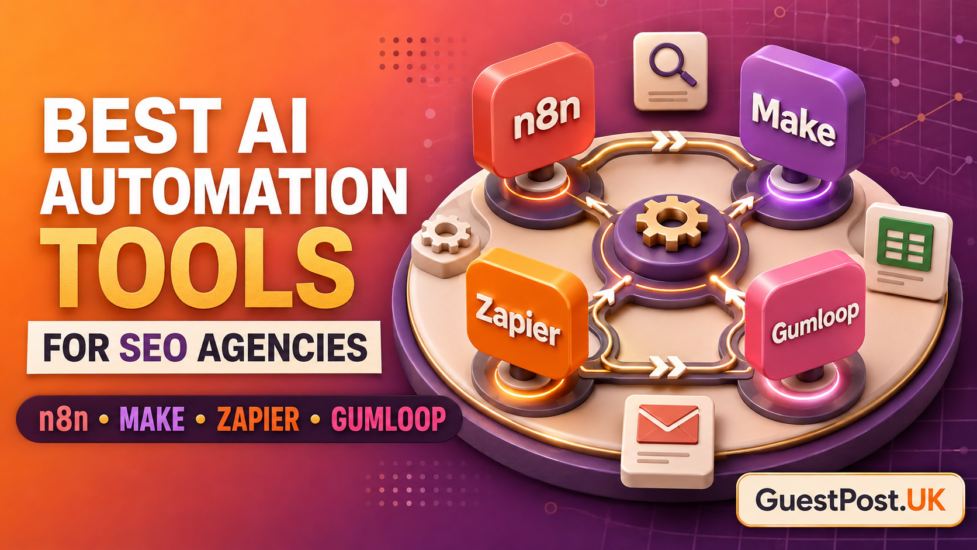
Make.com and n8n are two of the strongest workflow automation platforms for SEO agencies. Both can integrate with the tools an agency already uses, reduce admin, and help teams build repeatable systems for reporting, content, technical audits, lead handling, and outreach.
However, they are designed around different priorities.
Make is usually easier for non-technical teams. Its visual scenario builder makes it straightforward to create multi-step workflows, move data between apps and see exactly what happens at each stage.
n8n gives agencies more control. It is better suited to custom API work, advanced logic, self-hosting and automation systems that need to scale beyond standard templates.
For most smaller agencies, Make is the simpler place to start. For agencies with technical resources, bespoke client systems, or strict data control requirements, n8n is often the stronger long-term choice.
Make.com vs n8n at a glance
| Area | Make.com | n8n |
|---|---|---|
| Best for | Marketing and SEO teams wanting visual automation | Agencies needing deeper customisation |
| Ease of use | Very beginner-friendly | Moderate learning curve |
| Workflow building | Drag-and-drop scenarios | Visual workflows with more technical options |
| Integrations | Large app library and connectors | 500+ integrations plus custom API flexibility |
| Custom API work | Available, but can feel more complex | A major strength |
| AI workflows | Built-in AI features and integrations | Strong agent and AI workflow support |
| Self-hosting | No | Yes |
| Pricing model | Credits per module operation | Executions rather than individual workflow steps |
| Best agency fit | Standard operational processes | Bespoke systems and data-heavy workflows |
Both platforms can be valuable. The best choice depends on the process you are automating, the volume of work and who will maintain the system once it is live.
What Make.com does best
Make is designed to make automation visible. Its workflow builder uses connected modules, routes and filters, so an agency can see how data moves from one system to another.
That is especially useful for SEO work because many processes involve several decisions. A monthly reporting workflow may need to pull Search Console data, check whether priority pages have been declined, draft a task for the strategist, and notify the account manager. A content workflow may follow one route for a local page and another for a national service page.
Make makes those branches easier to understand without needing a developer.
Make.com workflows for SEO agencies
Make is well suited to:
- Creating content-production tasks from approved keywords
- Moving form leads into a CRM and project-management system
- Preparing monthly reporting sheets
- Routing technical audit findings to the right team member
- Creating client folders, tasks and onboarding checklists
- Tracking content status across Airtable, Google Sheets and ClickUp
- Sending internal reminders for approvals and deadlines
- Organising outreach replies and follow-up dates
For example, when a new content topic is approved, Make can create a brief document, add a task for the writer, set an editorial deadline, notify the editor and update the campaign tracker. This removes repetitive copying without taking editorial decisions away from the team.
Make has a free plan and paid plans that scale through credits. Each action inside a scenario consumes credits, so a complex workflow that runs frequently can cost more than expected. This is not necessarily a problem, but agencies should calculate likely usage before rolling a scenario out across dozens of clients.
Where Make can become limiting
Make is less appealing when the workflow requires highly customised API calls, detailed code logic, unusual databases or significant security controls. It can achieve a great deal, but extremely complex automations may become difficult to maintain visually.
A scenario can also become expensive or confusing when it contains too many small actions. Keep workflows modular, name every step clearly and avoid unnecessary triggers.
What n8n does best
n8n is a workflow automation platform built for flexibility. It supports visual workflows, but it also gives agencies more freedom to work with APIs, webhooks, custom code and self-hosted infrastructure.
This makes n8n particularly effective when an agency has a more mature operational stack. Perhaps it needs to pull data from proprietary systems, combine several client datasets, create custom reporting logic or use AI agents with its own database.
n8n offers cloud plans, while self-hosting is available for organisations that need greater control. This can be useful where client data, credentials or internal processes should remain within a controlled environment.
n8n workflows for SEO agencies
n8n is particularly strong for:
- Custom Search Console and GA4 reporting pipelines
- Combining SEO-tool exports with CRM and revenue data
- API-led keyword and competitor research
- Large-scale technical SEO checks
- Internal content-audit systems
- AI agents that classify, enrich or summarise data
- Custom client portals and dashboards
- Secure, self-hosted automations
A practical n8n system might collect Search Console data every week, identify URLs with falling impressions, compare those pages against a keyword dataset, send the findings to an AI analysis step and create a prioritised action in the agency’s project tool.
That type of workflow can be built in Make too, but n8n is often easier to adapt when the agency needs more custom logic.
n8n pricing and maintenance
n8n plans are based on workflow executions rather than every individual step. All plans include unlimited users and workflows, which can make costs more predictable for multi-step automations.
However, self-hosting is not “free” in a practical sense. An agency must consider hosting, server maintenance, security, backups, updates and technical responsibility. A poorly maintained self-hosted automation platform can expose sensitive client credentials.
Use current, supported software versions, restrict access carefully and keep credentials out of public workflows. Self-hosting is valuable when it is properly managed; otherwise, cloud hosting may be the safer choice.
Make vs n8n for AI automation
Both tools can connect to AI models and support agent-like workflows. The difference is in how much control you need.
Make is ideal for straightforward AI tasks:
- Summarise a meeting note
- Categorise an incoming lead
- Turn a keyword sheet into draft content briefs
- Classify outreach replies
- Create a short internal reporting summary
n8n is stronger for more complex AI systems:
- Retrieve data from several internal sources
- Use custom logic before an AI step runs
- Store and reuse structured information
- Build multi-agent workflows
- Connect specialised APIs and databases
- Add human approval gates to every stage
For both platforms, do not allow AI actions to publish content, send outreach or make technical changes without review. AI can prepare work quickly, but it cannot reliably judge client context, editorial quality or publisher suitability.
Integration options
Make has a particularly polished experience for common marketing tools, spreadsheets, CRMs, forms and project-management apps. It is often the quickest route for an agency using mainstream SaaS products.
n8n includes hundreds of integrations and offers greater freedom to connect anything via an API. This becomes important when an agency works with proprietary tools, custom client platforms or specialist SEO data sources.
The decision is simple:
- If the apps you use are already supported and the workflow is standard, Make is usually faster.
- If you need to connect unusual systems or build custom data logic, n8n is usually more capable.
Before choosing either platform, list every system involved in the workflow. Check integrations, API access, authentication requirements and data limitations. Do not build a process around assumptions.
Make.com vs n8n pricing
Make uses a credit-based model. Each action or module run incurs a cost, so costs rise as scenario complexity and frequency increase. It has a free plan and paid tiers designed for growing usage.
n8n bases cloud pricing on workflow executions. Its plans include unlimited workflows, users, and steps, while self-hosting offers another option for agencies seeking control over their infrastructure.
Neither model is automatically cheaper. It depends on the workflow.
A simple Make automation that runs a few times each day may be highly affordable. A large agency running a complex scenario for dozens of clients may find n8n’s execution model more predictable. On the other hand, a small agency without technical support may spend more staff time maintaining n8n than it saves on platform fees.
Calculate these before deciding:
- Number of clients
- Workflow triggers per month
- Steps or operations per run
- AI model usage
- API and data-enrichment costs
- Number of team members
- Time needed to maintain workflows
- Hosting and security costs, where relevant
Which platform is better for SEO reporting?
Make is better for simple reporting workflows. It can move data from forms, sheets and common marketing platforms into an organised reporting process with minimal setup.
n8n is better for complex reporting. If you want to blend Search Console, GA4, backlink data, rank tracking, CRM revenue and custom client notes, n8n offers more room for tailored logic.
Whichever platform you use, an automation should prepare the report, not invent the story. A strategist should check anomalies, explain mixed performance and set the next actions. Use a monthly SEO report generator to speed up the preparation stage, then edit the insight before sharing it.
Which platform is better for outreach?
Make is very useful for managing legitimate outreach operations: updating prospect spreadsheets, recording replies, setting follow-up dates and creating internal alerts.
n8n is stronger if the agency has a custom prospect database or wants to integrate several enrichment, scoring and CRM systems.
Neither tool should be used to automatically send large volumes of generic outreach. Quality publishers can quickly spot automated pitches. Use automation to organise research and follow-up, then personalise each contact using real editorial context. A good blogger outreach service depends on relevance and relationships, not just scale.
Pick the platform that fits your agency
Choose Make.com if your team wants to automate familiar SEO and marketing processes quickly, with a visual builder and minimal technical overhead. It is the most practical choice for client onboarding, content operations, lead routing and standard reporting preparation.
Choose n8n if your agency needs advanced logic, custom APIs, data pipelines, AI agents or self-hosted control. It is more demanding to set up, but it offers more flexibility as your systems become more specialised.
Start with one process that clearly wastes time each week. Document it, build a small version, add a human approval step and measure the result. That is a more reliable path than attempting to automate an entire agency overnight.