
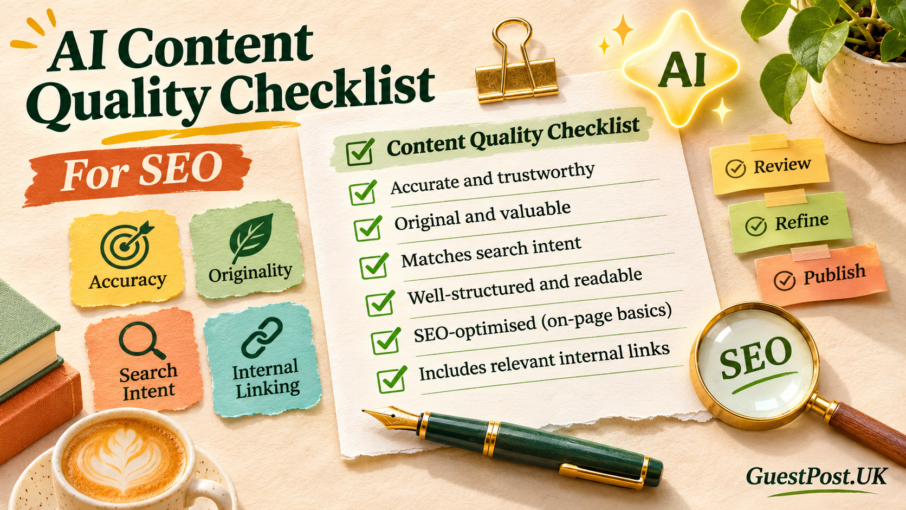
A draft can be grammatically clean, well-structured, and still be the wrong page to publish.
That is the main risk with AI-assisted content. It can produce a quick starting point, but it doesn’t automatically know your customer, your commercial goal, your real-world experience, or which pages already exist on your site. It can also repeat familiar wording, miss the real search intent or state a detail too confidently.
The useful question is not, “Was AI used?” The useful question is, “Does this page deserve to exist, and will it help the person who finds it?”
This checklist is for business owners, SEO teams, and content writers who use AI for research, outlining, or drafting but want to keep the final work useful, accurate, and commercially relevant.
Start with the reason the page exists
Before reviewing any sentence, make sure the article has a clear job.
A page should usually do one or more of the following:
- Answer a specific customer question
- Help a visitor compare options or make a decision
- Explain a service, product or process clearly
- Support an important commercial page with related information
- Give existing customers a useful answer they can trust
- Build authority around a topic your business genuinely understands
If the answer is simply “we needed another blog post”, the page needs more thought before editing begins.
For example, a broad article called “The Benefits of SEO” is unlikely to add much to a site that already has a strong SEO service page and several similar guides. A more focused page such as “How SaaS Companies Can Use Expert Contributions to Build Search Visibility” has a clearer audience, stronger commercial relevance and a better chance of supporting your SEO for SaaS work.
A good AI prompt can help create a draft. It cannot decide whether the topic is worth publishing. That decision needs human judgement.
Check the search intent before you polish the writing
Many weak AI articles fail because they answer a slightly different question from the one the searcher actually has.
Look at the main keyword and ask what the visitor wants to achieve:
- Informational intent: They want an explanation, process, checklist or example.
- Commercial research intent: They are comparing tools, agencies, prices or approaches.
- Transactional intent: They want to buy, enquire or find a provider.
- Navigational intent: They are looking for a specific brand, tool or page.
The structure, examples and call to action should match that intent.
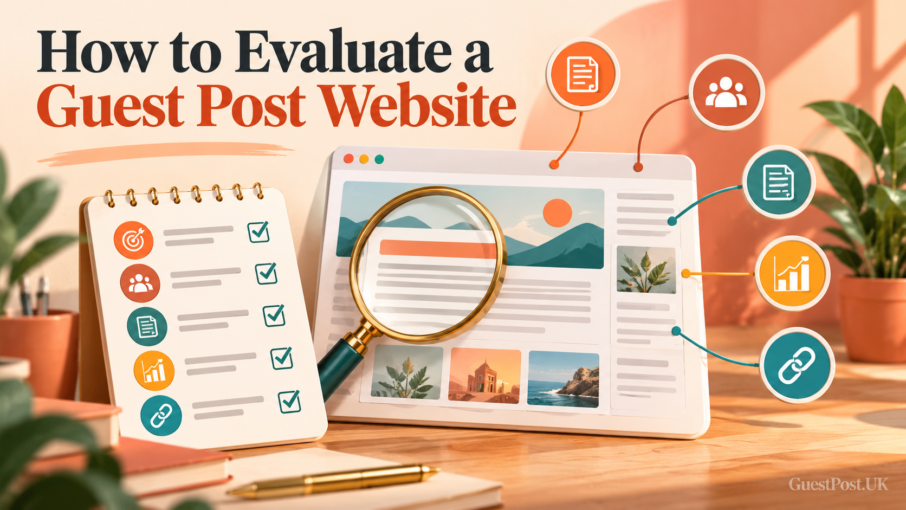
Someone searching “guest posting services UK” is not looking for a 2,000-word history of backlinks. They need to understand what a quality service includes, how publishers are vetted, what affects pricing, and how to get started. Someone searching “how to evaluate a guest post website” needs a practical review process, not a sales pitch in every paragraph.
Use the Google Keyword Tool and Keyword Question Generator to find related wording and genuine questions. Then check that each main section earns its place by helping the user move closer to an answer.
Review every factual claim
AI can state something that sounds plausible but is outdated, oversimplified or completely wrong.
Review claims carefully when they relate to:
- Current prices, product features or subscription limits
- Google policies, ranking systems or platform changes
- Legal, financial, medical or compliance guidance
- Statistics and industry studies
- Dates, names, companies and product specifications
- Results, guarantees or performance claims
Do not publish a statistic just because it makes the article sound more authoritative. Either verify it from a reliable source or remove it.
The same applies to SEO claims. Avoid statements such as “guest posting always improves rankings” or “AI content is automatically penalised”. Search performance depends on many factors: relevance, quality, crawlability, competition, authority, user satisfaction and the wider site.
Clear, accurate wording is more convincing than exaggerated promises. A reader should leave understanding what is likely, what needs review, and what depends on the individual situation.
Add the experience AI does not have
The fastest way to improve an AI-assisted draft is to add details from real work.
That could include:
- A common mistake you see when reviewing publisher sites
- What makes an outreach pitch feel relevant rather than generic
- A practical example from a campaign, without exposing client details
- The questions you ask before recommending a placement
- A decision framework your team actually uses
- A short explanation of what did not work and why
For GuestPost.uk content, that may mean explaining why a high authority metric is not enough on its own, why a relevant site can be more valuable than a random high-DA placement, or why a publisher should be checked before outreach begins.
Those details make a page more useful because they come from judgment, not from a general summary of information already available everywhere else.
You can support this with practical tools. For example, link to the Publisher Quality Checker when discussing publisher vetting, or the Guest Post Site Finder when explaining how to start a more relevant prospect list.
Remove generic filler and repeated ideas
AI drafts often repeat the same point using different words. They may include empty phrases such as “in today’s digital landscape”, “it is important to note” or “by leveraging the power of”.
Read the article once to remove anything that doesn’t add information, evidence, instruction, or context.
A good test is simple: if a paragraph could be placed on any competitor’s website without changing a word, it probably needs rewriting.
Replace broad claims with direct guidance. Give an example. Explain the trade-off. Add a useful next step.
That is how an AI-generated draft becomes a genuinely helpful piece of SEO content.
Give the article a structure people can scan
Even strong research is wasted if visitors cannot quickly understand the page.
Use descriptive headings that reflect the questions readers are likely to have. A useful article should make sense when someone scans only the H2s and H3s.
For a checklist-led guide, that usually means:
- What the reader needs to check
- Why the check matters
- How to carry it out
- A practical example or warning
- The next action to take
Avoid forcing every keyword variation into a heading. “AI content quality checklist for SEO” belongs naturally on the page, but headings should still sound like they were written for people.
Break up long sections with short paragraphs, bullet lists, comparison tables or simple examples where they make the answer easier to use. Do not add tables merely to make a page look more complete.
Check that the page adds something original
Originality does not always mean publishing a large study or creating a completely new idea.
It can mean:
- A clearer process than competing pages provide
- Better examples from your own work
- A useful comparison framework
- A niche-specific angle for SaaS, ecommerce, local businesses or agencies
- A template, checklist or calculation that helps the reader act
- A point of view based on practical experience
Before publishing, search the central topic and ask what the first-page results already cover. Then make sure your page contributes something beyond a rewritten version of those same headings.
For instance, an article about AI-assisted outreach could explain the risks of generic personalisation, show how to review tone and relevance, and direct users to the Outreach Email Generator as a starting point. That is more useful than another vague list of “top AI marketing tips”.
Originality matters most when you create many supporting articles around one topic. Each page should have a separate purpose, not simply target a slightly different keyword.
Use internal links to help visitors continue
Internal links are not there to fill space. They should help a reader take the next logical step.
A useful internal link usually does one of three things:
- Gives further explanation on a related subject
- Takes the user to a relevant tool or checklist
- Connects an informational page to the appropriate service page
For example:
- A guide about content planning can link to the Keyword Cluster Generator and Content Planning Tools.
- A guide about publisher selection can link to the Guest Post Site Finder and Guest Posting Services.
- A technical article about AI search can link to the Google AI Search Optimisation Guide and technical SEO for AI search.
Use descriptive anchor text. “Review our publisher quality checker” is more helpful than “click here”. It tells readers and search engines what they will find on the next page.
Do not link every mention of a phrase. Usually, a small number of well-placed, relevant links is enough.
Make the commercial next step clear
Not every article needs a hard sales message. But a useful commercial website should not leave a visitor wondering what to do next.
The right call to action depends on the article’s topic and intent.
A reader of an informational guide may be ready to:
- Use a free tool
- Read a related guide
- Download or save a checklist
- Explore a service
- Request help with a specific campaign
For this site, an article about quality content can naturally mention that strategic content planning, publisher research and authority building work best together. A visitor who needs support can then explore link-building services or Blogger Outreach Services.
Keep the call to action relevant and specific. A generic “contact us today” can work near the bottom of a service page, but a blog article benefits more from an invitation tied to the subject the reader has just explored.
Complete this pre-publication check
Before you schedule an AI-assisted article, ask:
- Does the title accurately match the page content?
- Does the opening answer the reader’s main question quickly?
- Is the search intent clear?
- Have all current facts, prices, statistics and product details been checked?
- Have generic claims been replaced with practical advice?
- Does the article contain real experience, examples or a useful framework?
- Does it avoid repeating existing pages on the site?
- Are headings clear and easy to scan?
- Have relevant internal links been added naturally?
- Is there one logical next step for the reader?
- Have the meta title and meta description been written for the right audience?
- Would you be comfortable putting your name beside every claim?
If the answer is yes, the article is ready to support both visitors and search performance.
AI can speed up research, outlining and first drafts. It cannot replace editorial judgement. The strongest content still comes from knowing the audience, checking the facts, adding real experience, and making each page useful enough to earn its place on the site.