Choosing the right SEO software can dramatically improve how efficiently you research keywords, audit websites, monitor rankings and build backlinks. While cloud-based platforms like Ahrefs and Semrush dominate conversations, desktop software still has a loyal following among SEO professionals who want greater control, unlimited projects and lower long-term costs.
One of the most established desktop SEO solutions is SEO PowerSuite.
Unlike subscription-only SaaS platforms, SEO PowerSuite combines four specialist applications into a single toolkit capable of handling almost every aspect of search engine optimisation. From keyword research and technical audits to backlink analysis and outreach management, it aims to provide a complete workflow without charging premium monthly fees.
In this comprehensive SEO PowerSuite review, we’ll examine every tool included in the suite, evaluate its strengths and weaknesses, compare it with leading competitors, and help you decide whether it’s the right investment for your business or agency.
Whether you’re an SEO consultant, blogger, affiliate marketer, local business owner or digital agency, this guide will help you understand where SEO PowerSuite excels—and where other tools may still have the advantage.
What Is SEO PowerSuite?
SEO PowerSuite is a desktop-based SEO software suite developed by Link-Assistant.Com. Rather than operating entirely in your web browser, it installs directly onto your Windows, macOS or Linux computer.
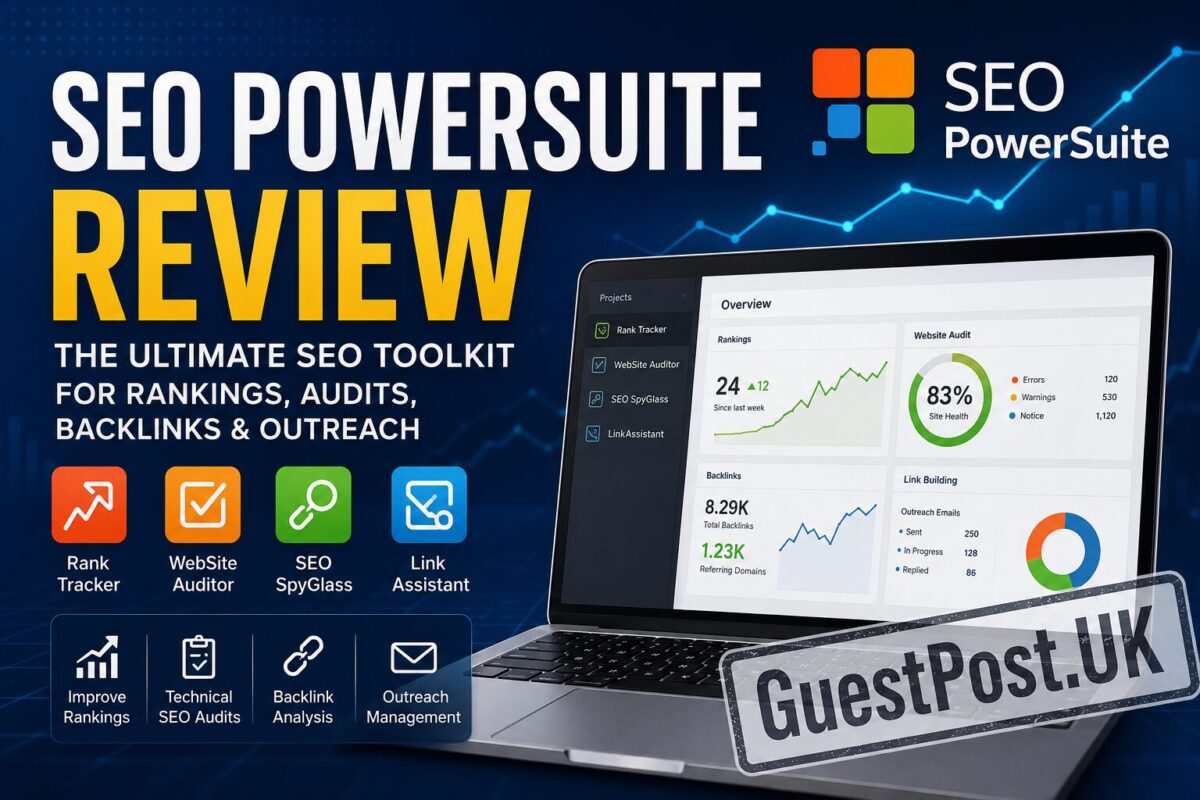
The platform consists of four integrated applications:
- Rank Tracker – Keyword research and position tracking
- Website Auditor – Technical SEO and on-page optimisation
- SEO SpyGlass – Backlink analysis and competitor research
- LinkAssistant – Link building and outreach management
Together, these applications cover the majority of tasks performed during a professional SEO campaign.
Unlike many cloud platforms that limit projects, tracked keywords or reports based on subscription tiers, SEO PowerSuite allows users to manage unlimited websites on most paid plans. That flexibility has made it particularly attractive to freelancers and agencies managing multiple clients.
Another key difference is data ownership. Because projects are stored locally, users have greater control over reports, historical rankings and audit data without relying entirely on cloud storage.
Why SEO PowerSuite Still Matters in 2026
The SEO software landscape has evolved significantly over the past decade.
Today, many professionals automatically compare every tool with Ahrefs or Semrush. While those platforms are undeniably powerful, they are also becoming increasingly expensive, particularly for freelancers and growing agencies.
SEO PowerSuite offers a different approach.
Instead of charging primarily for access to cloud infrastructure, it provides desktop software capable of performing many of the same core SEO tasks while keeping costs considerably lower.
That difference makes it especially attractive for users who value:
- Lower long-term costs
- Unlimited projects
- Complete technical audits
- Detailed reporting
- White-label reports
- Flexible data exports
- Local data storage
For businesses operating several websites or agencies handling dozens of SEO campaigns, those benefits can translate into significant annual savings.
What’s Included in SEO PowerSuite?
One of SEO PowerSuite’s biggest strengths is that every application specialises in a particular stage of the SEO process.
Instead of creating one overcrowded dashboard, each tool focuses on solving a specific problem exceptionally well.
Rank Tracker
Rank Tracker is responsible for:
- Keyword research
- Rank monitoring
- Competitor rankings
- Search visibility
- Keyword grouping
- SERP feature tracking
- Search intent analysis
It supports hundreds of search engines and local locations, making it particularly useful for international and local SEO campaigns.
Website Auditor
Website Auditor analyses the health of your website.
It scans thousands of pages to identify issues affecting rankings, including:
- Broken links
- Duplicate content
- Missing metadata
- Redirect chains
- Canonical errors
- Internal linking issues
- Core on-page optimisation problems
- Page speed recommendations
Rather than relying on browser-based crawl limits, Website Auditor performs extensive local crawls that can analyse very large websites efficiently.
SEO SpyGlass
SEO SpyGlass focuses on backlinks.
It enables users to:
- Audit backlink profiles
- Analyse competitors
- Identify toxic links
- Monitor referring domains
- Evaluate anchor text
- Discover new backlinks
- Review historical link growth
Backlinks remain one of Google’s strongest ranking signals, making this tool particularly valuable for outreach campaigns and competitor research.
LinkAssistant
LinkAssistant is perhaps the most unique component of SEO PowerSuite.
Instead of simply analysing backlinks, it helps organise the entire outreach process.
Users can:
- Discover link opportunities
- Manage outreach contacts
- Store publisher information
- Track outreach status
- Monitor acquired backlinks
- Organise guest posting campaigns
For agencies conducting regular link building, this creates a much more structured workflow than relying on spreadsheets alone.
Key Features That Make SEO PowerSuite Stand Out
Although every SEO platform claims to be an “all-in-one solution”, SEO PowerSuite has several characteristics that genuinely differentiate it from cloud competitors.
Unlimited Projects
Many SaaS SEO tools restrict users based on:
- Number of websites
- Monthly reports
- Keywords tracked
- Backlink rows
- Historical data
SEO PowerSuite removes many of these restrictions.
For agencies managing multiple client accounts, unlimited projects alone can justify the investment.
Desktop Performance
Running locally provides several practical advantages.
Large website crawls often complete faster because processing occurs on your own computer rather than shared cloud servers.
This also means you retain access to historical project data without depending entirely on third-party hosting.
For SEO professionals who regularly analyse large ecommerce websites, publisher networks or enterprise platforms, this can significantly improve workflow efficiency.
White-Label Reporting
Professional reporting is essential for agencies.
SEO PowerSuite includes customisable reports allowing agencies to:
- Add branding
- Remove software logos
- Schedule reports
- Export PDFs
- Present ranking improvements
- Demonstrate backlink growth
- Highlight technical fixes
These reports are considerably more polished than simple spreadsheet exports and can reduce the time spent preparing monthly client updates.
Extensive Search Engine Support
Most SEO professionals focus exclusively on Google.
However, SEO PowerSuite supports rankings across hundreds of search engines and regional databases.
This is particularly useful for businesses targeting:
- Multiple countries
- Local markets
- International ecommerce
- Different language audiences
If your SEO strategy extends beyond Google UK, this flexibility becomes increasingly valuable.
Who Should Use SEO PowerSuite?
SEO PowerSuite is not designed exclusively for agencies.
Its feature set appeals to a surprisingly broad range of users.
Freelancers
Freelance SEO consultants benefit from:
- Lower ongoing costs
- Unlimited projects
- Professional reports
- Comprehensive auditing tools
Instead of subscribing to several expensive SaaS platforms, freelancers can manage client campaigns within one ecosystem.
Bloggers
Content publishers can use SEO PowerSuite to:
- Discover low-competition keywords
- Monitor rankings
- Audit content
- Improve internal linking
- Track organic growth
Combined with a solid content strategy, these features help identify opportunities for sustainable organic traffic.
Affiliate Marketers
Affiliate websites depend heavily on keyword research and competitor analysis.
Rank Tracker and SEO SpyGlass provide valuable insights for discovering profitable search terms and analysing competing affiliate sites before creating new content.
Local Businesses
Businesses targeting specific towns, cities or service areas can monitor local rankings while auditing their websites for technical SEO issues that may affect visibility in Google’s local results.
SEO Agencies
Agencies gain perhaps the greatest value from SEO PowerSuite.
Managing multiple campaigns, producing white-label reports, auditing client websites and organising outreach activities becomes significantly easier when all four applications work together.
For agencies looking to maximise return on software investment, SEO PowerSuite remains one of the strongest desktop solutions available.
First Impressions
After installing SEO PowerSuite, one thing becomes immediately apparent: this is software built for SEO professionals rather than casual users.
The interface is data-rich, highly configurable and designed around workflows rather than marketing dashboards.
While it may initially appear more complex than cloud-based tools like Mangools, the additional depth quickly becomes an advantage once you begin managing multiple projects.
Navigation between the four applications is straightforward, reports load quickly, and each module focuses on a clearly defined task. Rather than trying to do everything from a single screen, SEO PowerSuite encourages a structured approach to keyword research, technical optimisation, backlink analysis and outreach.
For experienced SEOs, that workflow feels efficient and purposeful.
Rank Tracker Review: One of SEO PowerSuite’s Strongest Tools
If there’s one application that convinces most users to adopt SEO PowerSuite, it’s Rank Tracker.
Despite its name, Rank Tracker is far more than a keyword position monitoring tool. It combines keyword discovery, competitor research, SERP analysis, keyword grouping and historical ranking data into one application.
Unlike many cloud-based alternatives that charge more as your keyword list grows, Rank Tracker allows significantly greater flexibility, making it particularly attractive for agencies managing multiple websites.
Keyword Research Capabilities
Every successful SEO campaign starts with keyword research.
Rank Tracker helps users uncover opportunities by collecting keyword suggestions from numerous sources, including Google Autocomplete, Google Related Searches and other search engines.
Rather than relying on a single keyword database, it combines multiple sources to generate thousands of ideas around one topic.
For example, if your primary keyword is:
SEO audit
Rank Tracker may uncover related searches such as:
- SEO audit checklist
- Website SEO audit
- Technical SEO audit
- Local SEO audit
- SEO audit template
- SEO audit services
- Enterprise SEO audit
- Ecommerce SEO audit
- SEO audit report
- SEO audit tools
This approach makes topic clustering much easier when planning large content hubs.
Instead of producing isolated articles, you can organise keywords into logical groups that improve topical authority.
Advanced Keyword Metrics
Each keyword includes useful data points to support decision-making.
Typical metrics include:
- Monthly search volume
- Keyword difficulty
- Organic competition
- Estimated traffic
- Cost per click (CPC)
- Search trends
- Competition level
- Expected ranking difficulty
Although no third-party tool can perfectly replicate Google’s internal data, the estimates are generally reliable enough for strategic planning.
Experienced SEO professionals should still validate opportunities using Google Search Console once content begins ranking.
Keyword Mapping
One particularly useful feature is keyword grouping.
Instead of manually organising hundreds of search terms inside spreadsheets, Rank Tracker automatically clusters similar keywords together.
For example, these keywords can naturally belong within one article:
- best SEO software
- best SEO tools
- top SEO tools
- SEO software comparison
- SEO platforms
Grouping related keywords helps create comprehensive content that satisfies multiple search intents without producing unnecessary duplicate articles.
For agencies producing content at scale, this saves considerable planning time.
Tracking Keyword Rankings
Monitoring keyword positions remains one of the core strengths of Rank Tracker.
Users can track rankings across:
- Bing
- Yahoo
- YouTube
- Amazon
- Baidu
- Yandex
It also supports location-specific tracking, making it highly valuable for local SEO campaigns.
For example, a plumbing company can monitor rankings specifically within:
- London
- Manchester
- Birmingham
- Glasgow
rather than relying solely on national search results.
This provides much more meaningful insights into local visibility.
SERP Feature Tracking
Modern Google search results extend beyond the traditional ten blue links.
Rank Tracker identifies appearances within:
- Featured Snippets
- Local Pack
- People Also Ask
- Image Packs
- Video results
- Shopping results
- AI Overviews (where available)
- Knowledge Panels
Understanding these features helps businesses optimise for additional visibility opportunities beyond standard rankings.
Competitor Monitoring
SEO is rarely performed in isolation.
Rank Tracker allows users to monitor competitor websites alongside their own.
Instead of simply asking:
“What position am I?”
you can answer:
- Who overtook me?
- Which keywords are competitors targeting?
- Which rankings have competitors recently gained?
- Which keywords are declining?
These insights often reveal opportunities that traditional keyword research overlooks.
Real-World Workflow Using Rank Tracker
Imagine you’re managing SEO for an ecommerce furniture retailer.
A practical workflow might look like this:
- Research long-tail keywords related to oak dining tables.
- Group keywords into buying guides, product pages and informational articles.
- Publish optimised content.
- Track rankings weekly.
- Monitor competitors targeting identical keywords.
- Adjust internal links and on-page optimisation based on ranking trends.
Rather than treating SEO as a one-time task, Rank Tracker supports continuous improvement based on measurable data.
Website Auditor Review
Technical SEO remains one of the most overlooked aspects of organic search.
Even excellent content can struggle if search engines encounter crawling, indexing or optimisation issues.
Website Auditor is designed to identify those problems before they negatively affect rankings.
Unlike lightweight online audit tools that scan a limited number of pages, Website Auditor performs comprehensive website crawls directly from your computer.
This allows deeper analysis of larger websites without the restrictions often found in browser-based software.
Comprehensive Website Crawling
Website Auditor examines virtually every important technical SEO factor.
Typical audit categories include:
Crawlability
It identifies issues such as:
- Broken pages
- Crawl errors
- Redirect chains
- Redirect loops
- Orphan pages
- Incorrect robots.txt directives
These problems can prevent search engines from discovering important content.
Indexability
The software checks whether valuable pages can actually appear within search results.
Common issues include:
- Noindex pages
- Canonical conflicts
- Duplicate URLs
- Pagination problems
- Incorrect hreflang implementation
Resolving these issues often improves index coverage without creating new content.
On-Page SEO
Website Auditor evaluates important optimisation signals including:
- Title tags
- Meta descriptions
- Heading hierarchy
- Image ALT attributes
- Keyword placement
- Internal linking
- Content length
- Structured data opportunities
Instead of simply reporting missing elements, it explains why each issue matters and how to improve it.
Content Optimisation
One standout feature is the integrated content optimisation module.
Rather than relying purely on keyword density, Website Auditor analyses the highest-ranking competitors for a chosen keyword.
It then recommends improvements such as:
- Related phrases
- Semantic keywords
- Topic coverage
- Heading improvements
- Content depth
This creates more comprehensive content that better satisfies search intent.
For example, if targeting:
Website Auditor may recommend naturally including related concepts such as:
- blogger outreach
- editorial links
- niche relevance
- anchor text
- domain authority
- referral traffic
- link acquisition
The result is content that aligns more closely with Google’s understanding of the topic rather than simply repeating one keyword.
Internal Linking Analysis
Internal linking remains one of the easiest SEO improvements to implement.
Website Auditor identifies:
- Orphan pages
- Pages with few internal links
- Overlinked pages
- Broken internal links
- Anchor text distribution
For content-heavy websites, strengthening internal links often improves crawl efficiency while distributing authority more effectively across important pages.
For example, if you’re publishing a review of SEO PowerSuite, relevant internal links might naturally point readers towards:
- Your Best SEO Tools guide
- An Ahrefs vs Semrush comparison
- A Mangools Review
- A Keyword Research Guide
- A Link Building Strategies article
This not only improves user navigation but also reinforces topical relationships across your content.
Technical SEO Reporting
Website Auditor generates detailed reports suitable for both internal use and client presentations.
Reports can include:
- Overall website health score
- Critical technical issues
- Warnings
- Optimisation opportunities
- Page-level recommendations
- Progress over time
Because reports are fully customisable, agencies can apply their own branding and present findings in a professional format without relying on third-party reporting tools.
Strengths of Website Auditor
After extensive use, several strengths become apparent:
- Comprehensive technical audits
- Deep crawling capabilities
- Excellent on-page recommendations
- Useful content optimisation suggestions
- Flexible reporting
- Strong internal linking analysis
- No reliance on cloud crawl limits
These capabilities make Website Auditor particularly valuable for consultants and agencies working on medium to large websites.
Areas for Improvement
Although powerful, Website Auditor isn’t perfect.
Some users may find:
- Initial crawls on very large websites can take time.
- The interface is more data-heavy than beginner-focused alternatives.
- Content optimisation recommendations still require human judgement.
- Certain advanced visualisations offered by premium SaaS tools are unavailable.
These are relatively minor limitations, but they’re worth considering if ease of use is your highest priority.
Consultant’s Perspective
From a professional SEO standpoint, Rank Tracker and Website Auditor form the core of SEO PowerSuite.
Rank Tracker helps you identify opportunities, while Website Auditor ensures your website is technically capable of competing for them.
Used together, they support a complete optimisation cycle:
- Discover valuable keywords.
- Analyse the competition.
- Optimise pages for search intent.
- Fix technical issues.
- Monitor ranking improvements.
- Refine your strategy based on performance.
For many freelancers and agencies, these two applications alone provide enough functionality to manage successful SEO campaigns without investing in multiple separate platforms.
SEO SpyGlass Review: Backlink Analysis Without Enterprise Pricing
Backlinks continue to play a significant role in Google’s ranking algorithms. While content quality and search intent have become increasingly important, authoritative links remain one of the strongest indicators of trust and authority.
SEO SpyGlass is SEO PowerSuite’s dedicated backlink analysis tool, designed to help users understand both their own link profile and that of their competitors.
Although its backlink database isn’t as large as Ahrefs’, SEO SpyGlass offers an impressive balance of depth, usability and affordability for most SEO professionals.
Comprehensive Backlink Audits
SEO SpyGlass enables users to evaluate virtually every aspect of a website’s backlink profile.
Key metrics include:
- Total backlinks
- Referring domains
- Referring IP addresses
- Anchor text distribution
- Link type
- Follow vs nofollow
- Domain strength
- Link acquisition history
- Penalty risk
Rather than simply displaying numbers, the software organises backlinks into meaningful categories that help users identify strengths and weaknesses.
For example, if a website has:
- 20,000 backlinks
- Only 150 referring domains
this immediately suggests the profile may rely heavily on sitewide links rather than diverse editorial references.
That insight is far more valuable than backlink counts alone.
Competitor Backlink Research
One of SEO SpyGlass’ strongest features is competitor analysis.
Instead of guessing where competitors earn links, you can examine:
- Their strongest backlinks
- Highest authority referring domains
- Anchor text strategy
- Recently acquired links
- Link growth over time
Imagine you’re competing against another SEO agency.
SEO SpyGlass might reveal they regularly earn backlinks from:
- Marketing blogs
- SaaS publications
- Digital PR websites
- Business magazines
- Industry directories
Rather than copying every backlink, you can identify patterns that inform your own outreach strategy.
This approach often produces better long-term results than chasing individual links.
Link Quality Assessment
Not every backlink is beneficial.
SEO SpyGlass analyses link quality using multiple authority and trust signals.
This helps distinguish between:
High-quality links
Examples include:
- Editorial mentions
- Industry publications
- Government websites
- Educational institutions
- Well-established blogs
Lower-quality links
Examples include:
- Link farms
- Spam directories
- Automatically generated pages
- Private blog networks with poor quality
- Hacked websites
Understanding this distinction is essential because Google’s algorithms increasingly reward relevance and authority rather than sheer backlink volume.
Penalty Risk Analysis
SEO SpyGlass includes a useful Penalty Risk feature.
This estimates whether individual backlinks could potentially contribute to algorithmic problems.
While no tool can predict Google penalties with complete accuracy, it helps prioritise links that deserve manual review.
SEO professionals should always combine automated analysis with human judgement before removing or disavowing backlinks.
Anchor Text Analysis
Anchor text remains one of the most overlooked elements of backlink audits.
SEO SpyGlass provides a detailed breakdown showing:
- Branded anchors
- Exact-match keywords
- Partial-match anchors
- Naked URLs
- Generic anchors
- Image links
A natural backlink profile generally contains a healthy mix of these categories.
For example:
Healthy profile
- GuestPost.UK
- https://guestpost.uk
- this guide
- learn more
- SEO software comparison
Potentially over-optimised
- best SEO agency
- cheap backlinks
- buy guest posts
- SEO services UK
Overusing commercial anchor text can increase risk and reduce the natural appearance of your backlink profile.
Historical Link Growth
SEO SpyGlass also visualises backlink acquisition over time.
Instead of focusing on individual links, you can evaluate broader trends.
Example trend
Month 1
- 20 referring domains
Month 6
- 75 referring domains
Month 12
- 180 referring domains
This steady growth usually indicates a sustainable link-building strategy.
By contrast:
Month 1
- 50 domains
Month 2
- 900 domains
Month 3
- 120 domains
Such dramatic fluctuations may warrant further investigation.
Understanding growth patterns often reveals more than raw backlink totals.
LinkAssistant Review
LinkAssistant is perhaps the most unique application within SEO PowerSuite.
Many SEO tools help analyse backlinks.
Very few help organise the process of acquiring them.
That’s exactly where LinkAssistant stands out.
Rather than acting purely as an analysis platform, it functions as a complete outreach management system.
Finding Link Opportunities
LinkAssistant can identify potential prospects from numerous sources.
These include:
- Guest posting websites
- Resource pages
- Industry blogs
- Business directories
- Link roundups
- Partnership opportunities
Instead of manually searching Google every day, users can build organised prospect lists directly inside the software.
For agencies conducting regular outreach, this significantly improves efficiency.
Managing Outreach Campaigns
One challenge many agencies face is keeping track of outreach conversations.
Spreadsheets quickly become difficult to maintain once hundreds of websites are involved.
LinkAssistant allows users to organise information such as:
- Website name
- Contact details
- Email address
- Website authority
- Outreach status
- Last contact date
- Notes
- Link placement status
Everything remains centralised within one project.
Guest Posting Workflow
A typical outreach campaign might look like this:
Step 1
Identify relevant websites within your niche.
Step 2
Evaluate authority using SEO SpyGlass.
Step 3
Import qualified prospects into LinkAssistant.
Step 4
Record contact information.
Step 5
Send personalised outreach emails.
Step 6
Track responses.
Step 7
Monitor acquired backlinks.
For agencies managing dozens of guest posts each month, this workflow reduces administrative overhead considerably.
Relationship Management
Effective link building isn’t just about acquiring backlinks.
It’s about building relationships with publishers.
LinkAssistant encourages this by allowing users to record:
- Previous conversations
- Partnership history
- Publishing preferences
- Website requirements
- Pricing information
- Collaboration opportunities
Over time, this creates a valuable outreach database that becomes increasingly useful with each campaign.
Using SEO PowerSuite for Link Building
SEO PowerSuite supports almost every stage of a modern link-building campaign.
A practical workflow might look like this:
Discover competitors
Use SEO SpyGlass to analyse competing websites.
↓
Identify quality backlinks
Find authoritative referring domains.
↓
Evaluate opportunities
Prioritise relevant websites.
↓
Import prospects
Move qualified domains into LinkAssistant.
↓
Launch outreach
Contact publishers with personalised pitches.
↓
Acquire backlinks
Secure guest posts, editorial mentions or partnerships.
↓
Monitor results
Track new backlinks and ranking improvements.
Rather than treating backlink acquisition as isolated tasks, SEO PowerSuite helps create a structured, repeatable process.
Real-World SEO Scenarios
Scenario 1: Guest Posting Campaign
An SEO agency wants to increase authority for a SaaS client.
Using SEO SpyGlass, they identify 300 referring domains linking to competitors.
After filtering out low-quality websites, 85 high-authority prospects remain.
These prospects are imported into LinkAssistant.
Outreach begins.
Within three months:
- 28 guest posts published
- 41 editorial backlinks acquired
- Significant improvement in organic visibility
Without structured outreach management, coordinating this campaign would have required multiple spreadsheets and CRM systems.
Scenario 2: Recovering From Poor Link Quality
A business notices declining rankings.
SEO SpyGlass reveals:
- Hundreds of spam directory links
- Over-optimised anchor text
- Large numbers of low-quality referring domains
After removing harmful links where possible and improving overall link quality through digital PR and guest posting, rankings begin recovering over subsequent months.
Although recovery depends on many factors, identifying backlink issues early can prevent larger SEO problems.
Scenario 3: Competitor Gap Analysis
A local law firm struggles to outrank competitors.
SEO SpyGlass reveals competitors consistently receive backlinks from:
- Local newspapers
- Chamber of Commerce websites
- Legal associations
- University publications
Instead of guessing where to build links, the marketing team develops targeted outreach campaigns towards similar organisations.
This strategy produces stronger topical authority than generic directory submissions.
Strengths of SEO SpyGlass
After extensive testing, several advantages stand out:
- Detailed backlink analysis
- Excellent competitor research
- Helpful anchor text reporting
- Historical backlink trends
- Penalty risk indicators
- Strong reporting capabilities
- Affordable compared with enterprise alternatives
For most freelancers and growing agencies, it delivers more than enough backlink intelligence for everyday SEO work.
Strengths of LinkAssistant
LinkAssistant also offers several unique benefits:
- Organised outreach workflows
- Prospect management
- Relationship tracking
- Guest posting support
- Link monitoring
- Centralised campaign management
- Reduced reliance on spreadsheets
While many cloud-based SEO tools focus almost entirely on analysis, LinkAssistant addresses the operational side of link building that agencies deal with every day.
Areas Where These Tools Could Improve
Despite their strengths, neither application is perfect.
SEO SpyGlass:
- Smaller backlink index than Ahrefs.
- Newly discovered backlinks may appear later than in larger databases.
- Advanced users may occasionally supplement data with another backlink platform.
LinkAssistant:
- Email workflow feels less modern than dedicated outreach platforms.
- Teams using large-scale digital PR campaigns may still prefer specialist CRM solutions.
- Collaboration features aren’t as advanced as cloud-native software.
These limitations are worth considering, but they are generally outweighed by the overall value the suite provides, particularly given its one-time licensing model.
SEO Consultant’s Perspective
SEO SpyGlass and LinkAssistant complement each other exceptionally well.
SEO SpyGlass answers “Where should we build links?”
LinkAssistant answers “How do we manage the outreach?”
Together, they transform link building from a reactive process into a structured strategy built on competitor intelligence, relationship management and measurable results.
For freelancers, consultants and agencies focused on sustainable SEO rather than quick wins, these two tools provide a practical workflow that can scale as client portfolios grow.
SEO PowerSuite Pricing
Pricing is one of the main reasons many SEO professionals consider SEO PowerSuite over cloud-based alternatives.
Most leading SEO platforms operate on a monthly subscription model, with costs increasing as you track more keywords, manage more projects or require additional users. Over several years, these subscriptions can represent a significant investment.
SEO PowerSuite takes a different approach by offering annual licences for its desktop software. Users can choose between a free version with limited functionality and paid editions that unlock professional features such as unlimited projects, automated tasks, white-label reports and advanced export options.
Although pricing may change over time, SEO PowerSuite consistently remains one of the most cost-effective professional SEO toolkits available.
For freelancers and small agencies, the annual cost is often considerably lower than paying for premium cloud platforms throughout the year.
Free vs Professional vs Enterprise
SEO PowerSuite offers three primary editions.
Free Version
The free edition is suitable for learning the software and performing basic SEO tasks.
It allows users to:
- Explore all four applications
- Conduct keyword research
- Run website audits
- Analyse backlinks
- Track a limited number of rankings
However, several important features remain restricted, particularly report saving, automation and large-scale project management.
Professional Edition
The Professional edition is aimed at freelancers, bloggers and in-house marketers.
It unlocks:
- Unlimited projects
- Report exporting
- Full keyword tracking
- Complete website audits
- Unlimited backlink analysis
- Automation features
For many users, this version provides everything required for day-to-day SEO work.
Enterprise Edition
Enterprise is designed for agencies and larger organisations.
Additional features include:
- White-label reports
- Scheduled reporting
- Client branding
- Data export automation
- Team reporting
- Advanced report templates
If you’re regularly presenting SEO reports to clients, Enterprise is usually the better choice.
Desktop Software vs Cloud-Based SEO Tools
One of the biggest decisions when choosing SEO software is whether desktop applications still make sense.
Cloud platforms have obvious advantages.
They allow access from anywhere, require no installation and automatically handle software updates.
Desktop software, however, continues to offer several important benefits.
Advantages of Desktop Software
- Greater control over project data
- Faster processing for large crawls
- Unlimited local storage
- Lower long-term costs
- Reduced subscription dependency
- Better performance for very large websites
Many experienced consultants appreciate having complete ownership of historical SEO data rather than relying entirely on cloud storage.
Advantages of Cloud Platforms
Cloud-based SEO software generally offers:
- Access from any device
- Easier collaboration
- Shared dashboards
- Instant updates
- Simplified team management
Businesses with distributed teams often find cloud platforms more convenient for collaboration.
Ultimately, the better choice depends on how your team works rather than which technology is newer.
Ease of Use
SEO PowerSuite has improved significantly over recent years, although it still presents a steeper learning curve than beginner-focused platforms.
The interface prioritises functionality over visual simplicity.
New users may initially find the amount of available data overwhelming.
Fortunately, once familiar with the workflow, navigation becomes logical.
Each application has a clearly defined purpose.
Rather than jumping between dozens of unrelated menus, users move naturally through keyword research, auditing, backlink analysis and outreach.
For experienced SEO professionals, this structured workflow often feels more efficient than oversized cloud dashboards packed with rarely used features.
Software Performance
Performance is one area where desktop software still holds a noticeable advantage.
Website Auditor can crawl thousands of pages without relying on remote servers.
Rank Tracker processes large keyword lists efficiently.
Reports generate quickly.
Backlink analysis remains responsive even for sizeable domains.
Naturally, overall performance depends partly on your computer’s hardware.
Modern processors and sufficient RAM significantly improve crawl speed and report generation.
For agencies working with large ecommerce websites or publisher networks, this local processing can save considerable time.
Reporting Capabilities
Client reporting is an essential part of professional SEO.
SEO PowerSuite includes highly customisable reporting tools that allow agencies to demonstrate progress clearly.
Reports can include:
- Keyword ranking improvements
- Organic visibility
- Website health
- Technical issues
- Backlink growth
- Competitor comparisons
- Executive summaries
Enterprise users can also apply their own branding, making reports appear entirely agency-owned.
This creates a more professional experience for clients while reducing manual reporting work.
Automation Features
One of SEO PowerSuite’s strengths is automation.
Routine SEO tasks can be scheduled to run automatically.
Examples include:
- Weekly website audits
- Daily rank tracking
- Monthly reports
- Backlink monitoring
- Competitor checks
Automation reduces repetitive work while ensuring campaigns continue to generate fresh data.
For agencies managing numerous websites, these time savings accumulate quickly.
Data Accuracy
No third-party SEO platform has direct access to Google’s internal ranking systems.
Every tool relies on proprietary databases and estimation models.
SEO PowerSuite performs well across its core datasets.
Keyword tracking is generally reliable.
Website auditing identifies genuine technical issues.
Backlink analysis provides actionable competitor insights.
Keyword research estimates are suitable for planning content strategies.
Like Ahrefs, Semrush and Mangools, SEO PowerSuite should be viewed as a decision-support platform rather than an exact representation of Google’s internal data.
The most successful SEO professionals combine third-party software with Google Search Console and Google Analytics to validate performance.
Pros and Cons
Advantages
SEO PowerSuite offers numerous strengths that explain its continued popularity.
Comprehensive toolkit
The combination of four specialised applications covers nearly every major SEO discipline.
Excellent value
Compared with subscription-heavy competitors, annual licensing remains highly competitive.
Unlimited projects
Managing multiple websites without artificial project limits is particularly valuable for agencies.
Powerful technical auditing
Website Auditor remains one of the strongest desktop technical SEO tools available.
Professional reporting
Custom reports make communicating SEO progress much easier.
Flexible keyword tracking
Support for numerous search engines and local locations benefits both local and international SEO campaigns.
Strong outreach management
LinkAssistant provides workflow features rarely found in competing SEO suites.
Disadvantages
No SEO platform is perfect.
SEO PowerSuite also has several limitations.
Desktop installation required
Users preferring browser-based software may find desktop applications less convenient.
Smaller backlink database
SEO SpyGlass performs well but cannot yet match the enormous backlink indexes maintained by Ahrefs.
Learning curve
Beginners may require more time to become comfortable with the interface.
Collaboration
While reporting is excellent, cloud-native collaboration remains stronger on SaaS platforms.
Hardware dependent
Performance depends partly on the specifications of the computer running the software.
Is SEO PowerSuite Good Value?
For many users, the answer is yes.
If your work revolves around:
- Keyword research
- Technical SEO
- Link building
- Client reporting
- Competitor analysis
- Website auditing
SEO PowerSuite delivers exceptional value relative to its price.
Instead of subscribing to several separate applications, users receive a cohesive toolkit covering most professional SEO tasks.
It is particularly attractive for:
- Freelancers
- Small agencies
- Consultants
- Affiliate marketers
- Local SEO specialists
- In-house marketing teams
Larger enterprise organisations may still prefer cloud ecosystems offering advanced collaboration and larger proprietary databases.
However, for most SEO professionals, SEO PowerSuite provides an impressive balance between capability, flexibility and affordability.
In many cases, investing the savings into high-quality content creation, digital PR or link acquisition will generate a greater return than simply upgrading to a more expensive SEO platform.
SEO PowerSuite vs Ahrefs
Ahrefs has built a reputation as one of the industry’s leading SEO platforms, particularly for backlink analysis and competitor research. SEO PowerSuite, on the other hand, takes a desktop-first approach that prioritises flexibility, unlimited projects and lower long-term costs.
While both platforms aim to improve search visibility, they cater to different types of users.
| Feature | SEO PowerSuite | Ahrefs |
|---|---|---|
| Platform | Desktop | Cloud |
| Keyword Research | Excellent | Excellent |
| Rank Tracking | Excellent | Excellent |
| Technical SEO | Excellent | Very Good |
| Backlink Database | Very Good | Industry-leading |
| Link Building Management | Excellent | Limited |
| White-label Reports | Yes | Limited |
| Unlimited Projects | Yes | No |
| Learning Curve | Moderate | Moderate |
| Best For | Freelancers & Agencies | Professional SEOs & Enterprises |
Core Methodology
Ahrefs relies on one of the world’s largest continuously updated backlink indexes. Its strength lies in discovering new backlinks quickly and providing exceptionally detailed competitor intelligence.
SEO PowerSuite combines multiple data sources with its own algorithms while performing many calculations locally. This allows deeper website audits and more flexible project management without requiring premium monthly subscriptions.
Accuracy in Real-World SEO
Both tools are highly reliable.
Ahrefs generally has the advantage when:
- Discovering new backlinks
- Large-scale competitor research
- Content gap analysis
- Monitoring link growth
SEO PowerSuite performs exceptionally well for:
- Technical SEO audits
- Rank monitoring
- Local SEO campaigns
- White-label reporting
- Client management
- Outreach organisation
For many agencies, the difference in backlink database size has less impact than workflow efficiency.
Which Should You Choose?
Choose Ahrefs if you prioritise:
- Backlink research
- Massive keyword databases
- Enterprise SEO
- Competitive intelligence
Choose SEO PowerSuite if you prioritise:
- Lower annual costs
- Unlimited websites
- Technical SEO
- Professional reporting
- Desktop software
- Outreach management
SEO PowerSuite vs Semrush
Semrush has evolved beyond SEO into a complete digital marketing platform.
Alongside search optimisation, it offers PPC, social media management, advertising research, market intelligence and content marketing tools.
SEO PowerSuite remains focused almost entirely on organic search.
| Feature | SEO PowerSuite | Semrush |
|---|---|---|
| Platform | Desktop | Cloud |
| Technical SEO | Excellent | Excellent |
| Keyword Research | Excellent | Excellent |
| PPC Research | Limited | Outstanding |
| Social Media Tools | No | Yes |
| Content Marketing | Basic | Advanced |
| Rank Tracking | Excellent | Excellent |
| White-label Reports | Yes | Yes |
| Price | Lower | Higher |
Data Sources
Semrush maintains enormous proprietary databases covering:
- Keywords
- Paid advertising
- Display advertising
- Competitor domains
- Traffic estimation
- Search visibility
SEO PowerSuite focuses primarily on SEO datasets while performing much of the analysis locally.
This narrower focus allows it to remain considerably more affordable.
Best Use Cases
Semrush excels for businesses managing:
- SEO
- PPC
- Content marketing
- Social media
- Brand monitoring
SEO PowerSuite is ideal for users whose primary objective is improving organic rankings rather than managing every digital marketing channel.
SEO PowerSuite vs Mangools
Mangools is almost the complete opposite of SEO PowerSuite in terms of design philosophy.
Mangools focuses on simplicity.
SEO PowerSuite focuses on depth.
| Feature | SEO PowerSuite | Mangools |
|---|---|---|
| Platform | Desktop | Cloud |
| Ease of Use | Very Good | Excellent |
| Keyword Research | Excellent | Excellent |
| Technical SEO | Excellent | Basic |
| Rank Tracking | Excellent | Very Good |
| Backlink Analysis | Very Good | Good |
| Link Building Workflow | Excellent | Limited |
| Best For | Agencies & Consultants | Bloggers & Beginners |
Learning Curve
Mangools is one of the easiest SEO platforms available.
A complete beginner can usually perform keyword research within minutes.
SEO PowerSuite requires more learning but rewards experienced users with considerably greater flexibility.
Long-Term Growth
Many bloggers begin with Mangools because of its simplicity.
As websites grow, they often require:
- Larger audits
- More detailed reporting
- Better outreach management
- Stronger technical analysis
Those needs naturally align with SEO PowerSuite.
Which SEO Tool Is Best for Different Users?
There is no universal winner.
The best platform depends on your objectives, budget and experience.
Best for Beginners
Winner: Mangools
Simple interface, straightforward reports and an excellent learning experience.
Best for Bloggers
Winner: Mangools
Affordable keyword research with minimal complexity.
Best for Freelancers
Winner: SEO PowerSuite
Unlimited projects, powerful reports and lower long-term costs provide excellent value.
Best for Small Agencies
Winner: SEO PowerSuite
Combines technical SEO, rank tracking, backlink analysis and outreach management in one toolkit.
Best for Enterprise SEO
Winner: Ahrefs or Semrush
Large databases, advanced integrations and enterprise-scale datasets justify the higher investment.
Best for Technical SEO
Winner: SEO PowerSuite
Website Auditor remains one of the strongest technical SEO applications available outside enterprise crawlers.
Best for Link Building
This depends on your priorities.
If you’re researching backlinks:
Ahrefs remains the leader.
If you’re organising outreach campaigns:
SEO PowerSuite offers a more complete workflow through LinkAssistant.
Graph-Style View of SEO Platform Progression
Imagine your SEO journey as a gradual progression.
Stage 1 – Learning SEO
Primary focus:
- Understanding keywords
- Basic rank tracking
- Simple competitor analysis
Recommended tool:
Mangools
↓
Stage 2 – Growing Website
Primary focus:
- Technical SEO
- Content optimisation
- Regular audits
- Local SEO
- Link building
Recommended tool:
SEO PowerSuite
↓
Stage 3 – Scaling Business
Primary focus:
- Enterprise reporting
- Large backlink datasets
- Competitive intelligence
- Multi-channel marketing
Recommended tools:
Ahrefs or Semrush
The transition isn’t about replacing one tool because it’s “better”. It’s about adopting software that matches the complexity of your SEO campaigns as your business grows.
When Should You Choose SEO PowerSuite?
SEO PowerSuite is an excellent choice if you:
- Manage multiple client websites.
- Need unlimited SEO projects.
- Perform regular technical audits.
- Produce branded client reports.
- Conduct ongoing keyword research.
- Build backlinks through guest posting and outreach.
- Want professional SEO software without paying premium monthly subscription fees.
It is particularly well suited to consultants and agencies that value ownership of their data and prefer structured workflows over browser-based dashboards.
When Another Tool May Be Better
You may prefer an alternative if you:
- Need the industry’s largest live backlink database.
- Require integrated PPC and social media marketing tools.
- Want browser-based collaboration for large teams.
- Depend heavily on content marketing automation.
- Prefer a very simple interface with minimal configuration.
In these situations, Ahrefs, Semrush or Mangools may better match your requirements.
SEO Consultant’s Recommendation
After comparing all four platforms, SEO PowerSuite occupies a unique position in the market.
It doesn’t attempt to become an all-purpose marketing suite like Semrush.
It doesn’t compete solely on backlink size like Ahrefs.
Nor does it focus purely on beginner simplicity like Mangools.
Instead, it offers one of the most balanced SEO workflows available, combining keyword research, technical optimisation, backlink analysis, outreach management and reporting within a single desktop ecosystem.
For freelancers, consultants and agencies seeking maximum value without sacrificing professional capabilities, SEO PowerSuite remains one of the strongest investments available.
Frequently Asked Questions
Is SEO PowerSuite worth buying in 2026?
Yes. SEO PowerSuite remains one of the best-value SEO toolkits available in 2026. It combines keyword research, technical SEO audits, backlink analysis, rank tracking and outreach management into one desktop solution. For freelancers, consultants and agencies looking to reduce ongoing software costs without sacrificing essential SEO functionality, it offers an excellent return on investment.
Is SEO PowerSuite free?
Yes, SEO PowerSuite offers a free version that allows users to explore all four applications and perform basic SEO tasks. However, features such as saving projects, exporting reports, automation and white-label reporting are limited. Most professionals will benefit from upgrading to the Professional or Enterprise edition.
Is SEO PowerSuite better than Ahrefs?
It depends on your priorities.
If your primary focus is backlink research and competitor intelligence, Ahrefs remains one of the strongest platforms available.
If you want unlimited projects, comprehensive technical audits, client reporting and lower long-term costs, SEO PowerSuite is often the better choice.
Many SEO agencies actually use both tools together, leveraging the strengths of each platform.
Is SEO PowerSuite better than Semrush?
Semrush is a broader digital marketing platform that includes SEO, PPC, content marketing, social media and advertising research.
SEO PowerSuite specialises in SEO.
Businesses requiring an all-in-one marketing platform may prefer Semrush, while SEO professionals focused solely on organic search often find SEO PowerSuite provides better value.
Is SEO PowerSuite suitable for beginners?
Yes, although there is a learning curve.
The software contains a significant amount of data and functionality, which may initially feel overwhelming. However, users with a basic understanding of SEO can quickly become comfortable with the workflow.
Complete beginners may find Mangools easier to learn before progressing to SEO PowerSuite.
Can SEO PowerSuite replace multiple SEO tools?
For many users, yes.
The suite combines:
- Keyword research
- Rank tracking
- Technical SEO auditing
- Backlink analysis
- Competitor research
- Outreach management
- Reporting
This eliminates the need to purchase several separate SEO applications.
Is SEO PowerSuite good for agencies?
Absolutely.
Agency-focused features include:
- Unlimited client projects
- White-label reporting
- Scheduled reports
- Technical audits
- Keyword monitoring
- Link-building management
- Competitor analysis
These capabilities make it particularly suitable for agencies managing multiple SEO campaigns simultaneously.
Is SEO PowerSuite good for local SEO?
Yes.
Rank Tracker supports location-specific keyword tracking across numerous search engines and geographical regions.
Combined with Website Auditor’s technical recommendations, it provides an effective toolkit for improving local search visibility.
Does SEO PowerSuite include AI features?
SEO PowerSuite has gradually introduced AI-assisted functionality into areas such as content optimisation and workflow improvements. However, its primary focus remains professional SEO analysis rather than becoming an AI writing platform.
For users seeking AI content generation, dedicated AI writing tools can complement SEO PowerSuite rather than replace it.
Is SEO PowerSuite Worth It?
After thoroughly testing every component, it’s clear that SEO PowerSuite continues to justify its reputation as one of the most capable desktop SEO platforms available.
Its greatest strength isn’t one individual feature—it’s the way the four applications work together to support an entire SEO campaign.
Rank Tracker identifies keyword opportunities and monitors performance.
Website Auditor uncovers technical issues and improves on-page optimisation.
SEO SpyGlass provides valuable backlink intelligence and competitor analysis.
LinkAssistant organises outreach and simplifies link-building campaigns.
Together, they create a structured workflow that supports everything from keyword research to technical optimisation and authority building.
Unlike many subscription-based competitors, SEO PowerSuite offers exceptional value for professionals who manage multiple websites or client campaigns. Unlimited projects, powerful reporting, comprehensive audits and flexible data management make it especially attractive for freelancers and agencies looking to maximise their software investment.
That said, it isn’t the perfect solution for everyone.
If your work depends on the industry’s largest backlink database, advanced cloud collaboration or integrated PPC and social media marketing, platforms such as Ahrefs or Semrush may better suit your requirements.
Similarly, users looking for the simplest possible interface may find Mangools easier to learn.
For everyone else, SEO PowerSuite strikes an impressive balance between functionality, flexibility and affordability.
Our Recommendations
Best for Beginners
Mangools
Simple interface with an excellent learning curve.
Best for Freelancers
SEO PowerSuite
Outstanding value, unlimited projects and professional reporting.
Best for SEO Agencies
SEO PowerSuite
Combines technical SEO, backlink analysis, outreach management and reporting in one platform.
Best for Enterprise Businesses
Semrush
Ideal for organisations needing SEO, PPC, content marketing and broader digital marketing tools.
Best for Backlink Research
Ahrefs
Still the benchmark for backlink databases and competitor link analysis.
Best Overall Value
SEO PowerSuite
Few SEO platforms provide as much functionality at such a competitive price, making it one of the smartest investments for professionals who want long-term value rather than recurring monthly costs.
Related Articles You May Find Helpful
To build a more complete SEO toolkit, consider reading these related guides:
- Mangools Review – Discover whether Mangools is the right choice for beginners and bloggers.
- Ahrefs vs Semrush – Compare two of the industry’s leading cloud-based SEO platforms.
- Best Ahrefs & Semrush Alternatives – Explore affordable SEO software for different budgets and use cases.
- Best SEO Tools – Compare the leading free and paid SEO tools for keyword research, technical SEO, reporting and link building.
- Keyword Research Guide – Learn how to identify high-intent keywords that drive qualified organic traffic.
- Link Building Strategies – Practical techniques for earning authoritative backlinks through outreach, guest posting and digital PR.
- Technical SEO Checklist – Improve crawlability, indexation and website performance with a structured optimisation process.
Ready to Improve Your SEO?
The best SEO software won’t improve rankings on its own, but the right platform can help you make better decisions, identify hidden opportunities and measure progress more effectively.
If you’re a freelancer, agency or business looking for a professional SEO toolkit that delivers powerful functionality without enterprise-level pricing, SEO PowerSuite remains one of the strongest options available in 2026.
Pair it with a well-planned content strategy, high-quality link building and regular technical audits, and you’ll have a solid foundation for sustainable long-term organic growth.